
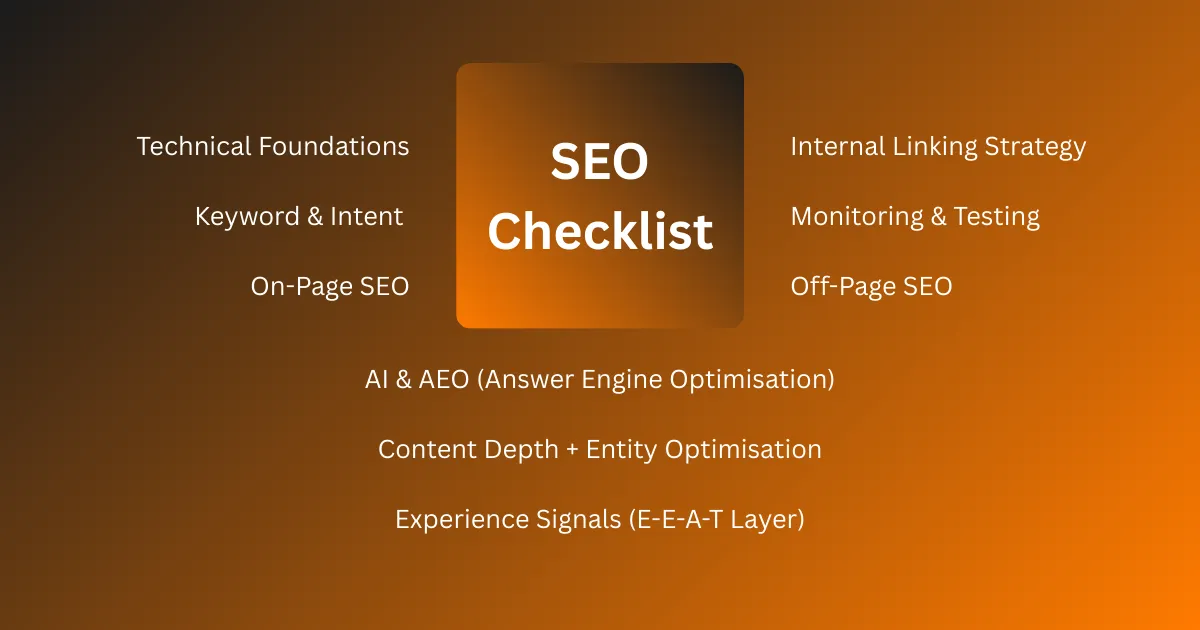
This is not just another list of random SEO ranking factors. This is a practical WebTrendSEO’s checklist SEO guide that helps you check content, technical SEO, backlinks, user experience, local SEO, schema, and Google best practices in one place.
Quick Summary: SEO Ranking Factors
SEO ranking factors are signals search engines may use to understand, evaluate, and rank web pages. The most important areas include helpful content, search intent, technical SEO, crawlability, indexing, backlinks, internal links, page experience, mobile usability, site authority, E-E-A-T, and user satisfaction.
A strong SEO checklist should not only ask, “Can this page rank?” It should also ask, “Can Google crawl it, understand it, trust it, and see that users are satisfied with it?”
In simple words, SEO is not one ranking factor. It is a complete system.
What Are SEO Ranking Factors?
SEO ranking factors are elements that may influence how a page performs in search results.
FSome ranking factors are directly confirmed by Google, such as page experience systems, spam systems, and the need for crawlable, indexable pages. Google also says its systems are designed to reward helpful, reliable, people-first content.
Other factors are based on SEO testing, industry studies, patents, experience, and correlation.
That is why this guide separates SEO into practical categories instead of pretending every factor has the same ranking weight.
Why This SEO Checklist Is Better Than a Basic Ranking Factors List
A normal ranking factors list tells you what may matter.
This checklist tells you what to check, why it matters, and how it affects SEO.
That makes it more useful for:
- SEO beginners
- Bloggers
- Business owners
- SEO students
- Freelancers
- Agencies
- WordPress users
- Local businesses
- E-commerce websites
- Personal brands
The Complete SEO Checklist
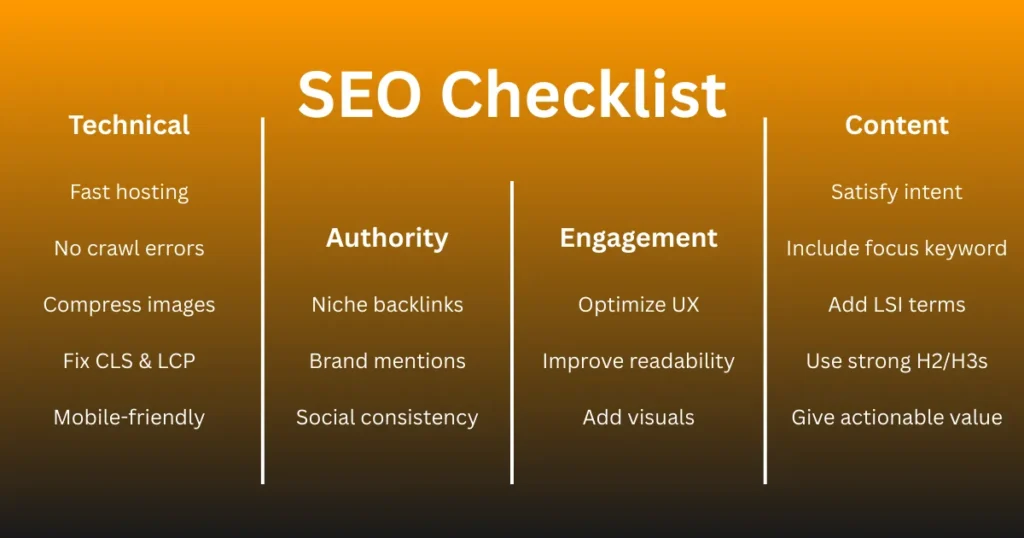
Search Intent SEO Checklist
Search intent is the reason behind a search. If your page does not match the intent, it can struggle to rank even if the content is long.
1: Does the Page Match the Main Search Intent?
Match the page with what the user wants.
For example:
- “What is SEO” needs a simple guide.
- “Best SEO tools” needs a comparison.
- “SEO agency near me” needs a service page or local business result.
- “Buy SEO audit” needs a transactional page.
2: Have You Identified the Intent Type?
Check which type of intent the keyword has.
- Informational: user wants to learn.
- Commercial: user wants to compare.
- Transactional: user wants to buy or take action.
- Navigational: user wants a specific brand or website.
Your page format should match the intent type.
3: Does the Content Format Match the SERP?
Check what Google is already showing.
- If results are guides, create a guide.
- If results are lists, create a list.
- If results are product pages, create a product page.
- If results show maps, optimize for local SEO.
Do not copy competitors. Match the format and make your content better.
4: Does the Page Answer the Main Query Quickly?
Answer the main question near the top.
Do not make users scroll too much to get the basic answer.
For example, an SEO checklist page should quickly explain what the checklist covers before going into details.
5: Does the Page Cover Related Subtopics?
Cover the important subtopics users expect.
For an SEO checklist, include:
- On-page SEO
- Technical SEO
- Keyword research
- Content quality
- Internal linking
- Backlinks
- Page speed
- Schema
- Local SEO
- Tracking
6: Does the Page Avoid Intent Mismatch?
Do not use the wrong page type.
- Do not make a sales page for an informational keyword.
- Do not make a short definition page when users expect a full guide.
- Do not make a blog post when the SERP shows service or product pages.
7: Does the Page Match the User’s Knowledge Level?
Write for the actual reader.
For beginners, use simple words and examples.
For experts, add deeper checks and advanced tips.
Best structure:
- Start simple.
- Explain clearly.
- Add examples.
- Go deeper only where needed.
8: Does the Page Include Real Examples?
Examples make the checklist useful.
Example:
“How to do SEO” needs step-by-step instructions.
“SEO pricing” needs prices, packages, and service details.
“Technical SEO checklist” needs crawl, index, speed, sitemap, robots.txt, and canonical checks.
9: Does the Page Answer Common Questions?
Add questions users may ask.
For an SEO checklist page, answer:
- What is an SEO checklist?
- What are SEO ranking factors?
- How do I check SEO on my website?
- What is on-page SEO?
- What is technical SEO?
These questions can be added in the FAQ section.
10: Does the Page Remove Filler?
Every section should help the reader.
Remove:
- Repeated points
- Long introductions
- Generic lines
- Unnecessary definitions
- Off-topic paragraphs
A simple rule:
If it does not help the user understand or act, remove it.
11: Does the Page Give a Clear Next Step?
End with a useful next action.
For example:
- Run an SEO audit.
- Check one important page.
- Read the technical SEO guide.
- Use an SEO checklist tool.
- Download the checklist.
- Update old content.
The CTA should match the intent. For informational content, keep it helpful, not pushy.
Keyword Research Checklist
Keyword research helps you choose the right search terms before writing or optimizing a page. It tells you what people search, how they search, and what content they expect.
12: Is There One Primary Keyword?
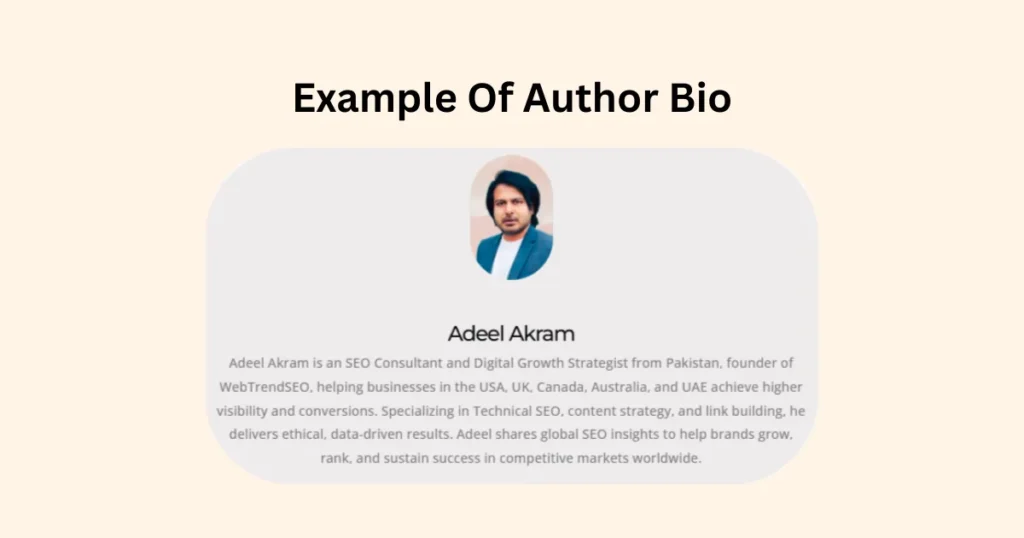
Choose one main keyword for the page.
For this page, the primary keyword is:
checklist SEO
The primary keyword should match the main topic of the page. Do not target too many main keywords on one page.
13: Are Secondary Keywords Included Naturally?
Use related keywords to support the main topic.
For this page, secondary keywords can include:
- SEO optimization checklist
- SEO check
- ranking factors for SEO
- SEO ranking factors
- SEO best practices
Use them naturally in headings, paragraphs, FAQs, and image alt text where they fit.
14: Are Long-Tail Keywords Included?
Long-tail keywords are more specific search phrases.
Examples:
- complete SEO checklist
- SEO checklist for beginners
- Google ranking factors checklist
- on-page SEO checklist
- technical SEO checklist
- SEO audit checklist
Long-tail keywords help you cover specific user needs.
15: Are Question Keywords Included?
Question keywords help you answer common user queries.
Examples:
What is an SEO checklist?
What are SEO ranking factors?
How do I check SEO on my website?
What should be included in an SEO checklist?
How often should I do an SEO check?
Use these in the article body or FAQ section.
16: Is the Keyword Difficulty Realistic?
Check whether your website can realistically rank for the keyword.
A new website should not only target highly competitive keywords. Start with easier long-tail keywords, then build authority over time.
Example:
Instead of only targeting SEO checklist, also target SEO checklist for beginners or technical SEO checklist for small websites.
17: Is the Keyword Relevant to the Page Goal?
Do not choose a keyword only because it has high search volume.
The keyword must match the page’s purpose.
Example:
If the page is a guide, target informational keywords.
If the page is a service page, target commercial or transactional keywords.
If the page is a tool page, target tool-based keywords.
18: Is the Primary Keyword Used in the SEO Title?
Use the primary keyword or a close variation in the SEO title.
Example:
Ultimate Checklist SEO Guide: 250+ Ranking Factors
Or a more natural version:
Ultimate SEO Checklist: 250+ Ranking Factors to Check
The title should be clear, clickable, and under 60 characters when possible.
19: Is the Primary Keyword Used in the H1?
The H1 should clearly show the main topic of the page.
Example:
The Ultimate SEO Checklist: 250+ Ranking Factors to Check
The H1 does not need to repeat the exact keyword awkwardly. A natural variation is better.
20: Is the Keyword Used in the First 100 Words?
Use the main keyword or a close variation near the start of the article.
Example:
This SEO checklist helps you check content, technical SEO, backlinks, user experience, and ranking factors before publishing or updating a page.
This helps users and search engines understand the topic quickly.
21: Is Keyword Usage Natural?
Do not force keywords into every sentence.
Avoid:
This checklist SEO guide gives checklist SEO tips for checklist SEO ranking factors.
Use natural wording:
This SEO checklist helps you review the most important ranking factors before publishing a page.
Keyword placement should support readability, not damage it.
Content Quality Checklist
Content quality means how useful, clear, original, and trustworthy the page is for the reader.
Google’s systems are designed to reward helpful, reliable, people-first content. So your page should not be written only to target keywords. It should solve the user’s problem better than competing pages.
22: Is the Content Actually Helpful?
The page should solve the user’s main problem.
Ask:
Does it answer the main question?
Does it explain the topic clearly?
Does it give useful examples?
Does it help the reader take action?
If the content does not help the user, it is not quality content.
23: Is the Content Original?
Do not copy competitors or rewrite the same points in different words.
Add something useful, such as:
Your own examples
Better explanations
Practical steps
Checklists
Mistakes to avoid
Real observations
Updated information
Original content does not always mean a new topic. It means a better and more useful version of the topic.
24: Does the Content Show Experience?
Show that the content is written by someone who understands the topic.
You can add:
Real examples
Screenshots
Case studies
Tool results
SEO audit observations
Before-and-after improvements
Lessons from real websites
Example:
Instead of saying, “Improve internal links,” explain how linking from a high-traffic blog post to a service page can help users and pass relevance.
25: Is the Content Complete?
The content should cover the topic deeply enough to satisfy search intent.
For an SEO checklist article, do not only cover keywords and titles. Also include technical SEO, internal links, backlinks, page speed, schema, local SEO, content updates, and tracking.
Complete content answers the main query and the next questions users may ask.
26: Is the Content Easy to Read?
Use simple language and short paragraphs.
Make the content easy for beginners and mobile users.
Check:
Are paragraphs short?
Are headings clear?
Are difficult terms explained?
Are examples included?
Is the page easy to scan?
Good readability improves engagement.
27: Is the Content Free From Fluff?
Remove anything that does not add value.
Avoid:
Generic introductions
Repeated points
Unnecessary definitions
Long motivational lines
Off-topic paragraphs
Sentences added only to increase word count
A simple rule:
If the sentence does not teach, explain, prove, or guide, remove it.
28: Does the Content Include Expert Explanation?
Do not only say what to do. Explain why it matters.
Weak example:
“Add internal links.”
Better example:
“Add internal links because they help users find related pages and help search engines understand which pages are important.”
Expert content explains the reason behind each SEO action.
29: Does the Content Avoid Overpromising?
Do not make false guarantees.
Avoid lines like:
“This checklist will guarantee first position on Google.”
“Follow these steps and rank number one in 7 days.”
“Backlinks always improve rankings.”
“Long content always ranks better.”
SEO depends on competition, website authority, content quality, technical health, search intent, and many other factors.
Be confident, but stay realistic.
30: Does the Content Include Updated SEO Context?
Modern SEO is not only about keywords and backlinks.
Include updated areas such as:
Helpful content
Search intent
Core Web Vitals
Page experience
Entity SEO
Schema markup
E-E-A-T
AI search visibility
Content freshness
Topical authority
This makes the content more complete and current.
31: Does the Content Have a Strong Introduction?
The introduction should quickly explain the problem and what the reader will get.
A strong intro should:
Mention the main topic
Show the problem
Promise a useful solution
Avoid long background text
Use the main keyword naturally
Example:
This SEO checklist helps you check the most important ranking factors before publishing or updating a page. It covers content quality, technical SEO, on-page SEO, backlinks, page speed, schema, internal links, and tracking in one practical guide.
On-Page SEO Checklist
On-page SEO means optimizing the visible page elements that users and search engines see.
It helps Google understand the page topic and helps users read, scan, and trust the content.
31: Is the SEO Title Under 60 Characters?
Keep the SEO title short, clear, and focused.
A title under 60 characters usually displays better in search results.
Example:
Ultimate SEO Checklist: 250+ Ranking Factors
Avoid long titles that may be cut off in Google.
32: Is the Title Click-Worthy?
The title should tell users why they should click.
A good title is:
Clear
Specific
Relevant
Useful
Not clickbait
Weak title:
SEO Checklist
Better title:
Ultimate SEO Checklist: 250+ Ranking Factors to Check
33: Is the Meta Description Under 155 Characters?
The meta description should quickly explain what the page offers.
Keep it around 150 to 155 characters.
Example:
Use this SEO checklist to check content, technical SEO, backlinks, page speed, schema, UX, and ranking factors step by step.
34: Does the Meta Description Include the Main Topic?
The meta description should include the main topic naturally.
For this page, include terms like:
SEO checklist
ranking factors
SEO check
SEO best practices
Do not stuff keywords. Make it useful for the reader.
35: Is the URL Short and Readable?
Use a clean URL that explains the page topic.
Good URL:
/ultimate-seo-checklist-ranking-factors/
Bad URL:
/post?id=4829-seo-list-final-updated-new/
A clean URL is easier for users and search engines to understand.
36: Is There Only One H1?
Use one main H1 for the page.
The H1 should clearly describe the topic.
Example:
The Ultimate SEO Checklist: 250+ Ranking Factors to Check
Avoid using multiple H1 tags for different sections.
37: Are H2 Headings Used for Main Sections?
Use H2 headings for major sections of the article.
Example:
Keyword Research Checklist
Content Quality Checklist
Technical SEO Checklist
Backlink Checklist
H2 headings help organize the page.
38: Are H3 Headings Used for Subpoints?
Use H3 headings for smaller points inside an H2 section.
Example:
H2: Technical SEO Checklist
H3: Is the Page Crawlable?
H3: Is the Page Indexable?
H3: Is the Sitemap Clean?
This improves scanning and structure.
39: Is the Main Keyword Used in the Introduction?
Use the main keyword or a close variation in the first 100 words.
Example:
This SEO checklist helps you check the most important ranking factors before publishing or updating a page.
Keep it natural. Do not force the exact keyword if it sounds awkward.
40: Are Related Keywords Used Naturally?
Use related keywords where they fit.
Examples:
SEO optimization checklist
SEO check
SEO ranking factors
ranking factors for SEO
SEO best practices
Use variations to support the topic, not to repeat the same phrase again and again.
41: Are Paragraphs Short?
Short paragraphs are easier to read, especially on mobile.
Best practice:
Keep most paragraphs between 1 to 3 lines.
Break long explanations into smaller sections.
Avoid large text blocks.
Good readability improves user experience.
42: Are Important Answers Placed Near the Top?
Answer the main question early.
For example, if the page is about an SEO checklist, explain what the checklist covers near the top before going into details.
This helps:
Users
Featured snippets
People Also Ask targeting
AI search summaries
Mobile readers
43: Are Images Optimized?
Optimize every important image.
Check:
Image size is compressed
File name is descriptive
Alt text explains the image
Image format is modern, such as WebP
Image does not slow the page
Example alt text:
SEO checklist covering content, technical SEO, backlinks, and page speed
44: Are Internal Links Added?
Add internal links to relevant pages on your own website.
For an SEO checklist article, link to:
Keyword research guide
On-page SEO guide
Technical SEO guide
Link building guide
Schema markup guide
SEO tools page
Use descriptive anchor text.
Bad anchor:
Click here
Better anchor:
technical SEO checklist
45: Are External Links Useful?
Add external links only when they support the content.
For SEO topics, link to trusted sources such as:
Google Search Central
Google SEO Starter Guide
Google Search Console
Google Core Web Vitals documentation
Google spam policies
Do not add random external links. Every source should improve trust or support an important claim.
Technical SEO Checklist
Technical SEO helps search engines crawl, index, render, and understand your website.
If technical SEO is weak, even strong content can struggle because Google may not access, understand, or index the page properly.
46: Is the Page Crawlable?
Make sure search engines can access the page.
Check:
The page is not blocked in robots.txt
Internal links point to the page
The page does not require login
The URL is not blocked by security settings
The page is not hidden behind broken scripts
If Google cannot crawl the page, it cannot rank properly.
47: Is the Page Indexable?
Crawlable and indexable are not the same.
A page can be crawlable but still not indexable if it has a noindex tag.
Check:
No accidental noindex tag
No blocked canonical URL
No indexing restrictions from SEO plugins
No robots meta tag blocking indexing
No HTTP header sending noindex
Important pages should be indexable.
48: Is the Page Included in the XML Sitemap?
Your XML sitemap should include important indexable URLs.
Include:
Main service pages
Important blog posts
Category pages worth ranking
Product pages
Location pages
Core landing pages
Avoid adding:
Noindex pages
Redirected URLs
404 pages
Thin pages
Duplicate pages
Parameter URLs
A clean sitemap helps search engines discover important pages faster.
49: Is the Canonical Tag Correct?
The canonical tag tells search engines which version of a page is the preferred version.
Check:
The canonical URL is correct
The canonical points to an indexable page
The canonical is not pointing to a redirected page
The canonical is not pointing to the wrong page
Self-referencing canonicals are used where needed
Example:
If the main page is:
/seo-checklist/
The canonical should not point to:
/seo-checklist/?utm_source=facebook
Wrong canonicals can stop important pages from ranking.
50: Are Redirects Working Properly?
Redirects should send users and search engines to the correct page.
Check:
Old URLs redirect to the most relevant new URLs
301 redirects are used for permanent moves
Redirect chains are avoided
Redirect loops are fixed
HTTP redirects to HTTPS
Non-www and www versions are handled properly
Bad redirect:
Page A → Page B → Page C → Page D
Better redirect:
Page A → Page D
Clean redirects improve crawl efficiency and user experience.
51: Are Broken Links Fixed?
Broken links lead users and crawlers to dead pages.
Check:
Broken internal links
Broken external links
Broken image URLs
Broken menu links
Broken footer links
Broken CTA buttons
Fix broken links by updating the URL, removing the link, or redirecting the old page to a relevant page.
Do not redirect every broken page to the homepage. Redirect only when there is a relevant replacement.
52: Is HTTPS Active?
Your website should load securely with HTTPS.
Check:
SSL certificate is active
All pages open with HTTPS
HTTP redirects to HTTPS
No mixed content issues
Images, scripts, and CSS load securely
Canonical URLs use HTTPS
Sitemap URLs use HTTPS
HTTPS protects users and builds trust.
53: Is Duplicate Content Controlled?
Duplicate content happens when the same or very similar content appears on multiple URLs.
Common causes:
HTTP and HTTPS versions
WWW and non-WWW versions
Tag pages
Category pages
Filter URLs
Printer-friendly pages
Copied product descriptions
Similar location pages
UTM parameter URLs
Fix duplicate content with:
Canonical tags
301 redirects
Noindex where needed
Unique content
Better URL structure
Parameter handling
Duplicate content can confuse search engines about which page to rank.
54: Is the Site Architecture Clear?
Site architecture means how your pages are organized.
A clear structure helps users and search engines understand your website.
Good structure:
Homepage
Main categories
Subcategories
Important pages
Supporting blog posts
Example:
Home → SEO Services → Technical SEO → Technical SEO Audit
Avoid a messy structure where important pages are hard to find.
55: Are Important Pages Within a Few Clicks?
Important pages should not be buried too deep.
As a basic rule, key pages should be reachable within 3 clicks from the homepage.
Check:
Main service pages
Money pages
High-value blog posts
Category pages
Location pages
Conversion pages
If a page is important, link to it from menus, relevant pages, category hubs, or internal content.
56: Is JavaScript Content Crawlable?
If your website uses JavaScript, make sure important content can be rendered and read by search engines.
Check:
Main content is visible without user actions
Internal links are crawlable
Title and meta tags are rendered correctly
Product details load properly
Navigation works for crawlers
Lazy-loaded content is accessible
Important links use normal anchor tags
Do not hide important SEO content only inside scripts that search engines may struggle to process.
57: Are Status Codes Correct?
Status codes tell browsers and search engines what happened with a URL.
Check:
Important live pages return 200
Permanent redirects return 301
Temporary redirects return 302 only when truly temporary
Missing pages return 404 or 410
Server errors like 500 are fixed
Blocked pages are intentional
Important ranking pages should return 200 OK.
58: Are 404 Pages Handled Properly?
A 404 page means the URL does not exist.
404s are normal, but important broken URLs should be handled.
Check:
Important deleted pages are redirected to relevant alternatives
Old backlinks do not point to dead pages
Broken internal links are fixed
The 404 page helps users continue browsing
Irrelevant deleted pages are allowed to stay 404
Do not redirect all 404s to the homepage. That creates a poor user experience.
59: Is Pagination Handled Correctly?
Pagination is common on blogs, categories, product listings, and archives.
Check:
Paginated pages are crawlable
Internal links between paginated pages work
Category page content is not duplicated heavily
Important products or posts are not buried too deep
Canonical tags are not incorrectly pointing all pages to page 1
Pagination does not create crawl waste
For large websites, clean pagination helps search engines discover deeper content.
60: Are Parameter URLs Controlled?
Parameter URLs are URLs with symbols like ?, =, and &.
Example:
/shoes/?color=black&size=10
Parameters are common in filters, sorting, tracking, and search results.
Check:
Filter URLs are not creating thousands of duplicate pages
UTM URLs are not indexable
Sorting URLs are controlled
Search result pages are handled properly
Canonical tags point to clean URLs where needed
Important filter pages are intentionally optimized
Uncontrolled parameters can waste crawl budget and create duplicate content problems.
Page Experience and Core Web Vitals Checklist
Page experience checks how easy, fast, stable, and comfortable your page feels for users.
Core Web Vitals focus on three main areas:
LCP: loading speed
INP: page responsiveness
CLS: visual stability
Checkpoint 61: Is the Page Fast on Mobile?
Check mobile speed first because most users browse on phones.
Fix:
Large images
Heavy scripts
Slow hosting
Too many plugins
Unoptimized CSS
Render-blocking resources
A slow mobile page can increase bounce rate and reduce engagement.
62: Is LCP Optimized?
LCP stands for Largest Contentful Paint.
It measures how fast the main visible content loads.
Usually, LCP is affected by:
Hero image
Banner image
Main heading block
Large text section
Featured image
Slow server response
Improve LCP by compressing the hero image, using faster hosting, reducing render-blocking CSS, and preloading important above-the-fold assets.
63: Is INP Optimized?
INP stands for Interaction to Next Paint.
It measures how quickly the page responds when a user clicks, taps, or types.
Poor INP is usually caused by:
Heavy JavaScript
Too many third-party scripts
Slow forms
Complex sliders
Chat widgets
Tracking scripts
Page builders
Improve INP by reducing unnecessary JavaScript and removing scripts that do not support user experience.
64: Is CLS Optimized?
CLS stands for Cumulative Layout Shift.
It measures how much the page layout moves while loading.
Bad CLS happens when:
Images load without fixed dimensions
Ads push content down
Fonts load late
Banners appear suddenly
Embedded videos resize after loading
Cookie bars move content
Fix CLS by setting image sizes, reserving space for ads and embeds, and avoiding sudden layout changes.
65: Are Images Compressed?
Large images slow down the page.
Before uploading images, compress them and resize them according to the display area.
Example:
Do not upload a 3000px image if it displays at 800px.
Use lighter formats like WebP where possible.
66: Is Lazy Loading Used Properly?
Lazy loading delays images or videos until the user reaches them.
Use lazy loading for:
Below-the-fold images
Gallery images
Blog images
Videos
Embeds
Do not lazy load important above-the-fold images, such as the hero image, because it can hurt LCP.
67: Is CSS Optimized?
CSS controls the design of the page.
Too much CSS can slow loading.
Check:
Unused CSS
Large theme files
Page builder CSS
Render-blocking CSS
Duplicate CSS files
Too many animation styles
Remove unused CSS and keep critical CSS lightweight.
68: Is JavaScript Reduced?
Heavy JavaScript can slow loading and reduce responsiveness.
Check scripts from:
Sliders
Popups
Chat widgets
Analytics tools
Ad networks
Page builders
Social embeds
Tracking pixels
Remove scripts that are not needed. Delay non-critical scripts where possible.
69: Are Fonts Optimized?
Fonts can slow a page if they are not handled correctly.
Check:
Too many font families
Too many font weights
External font loading delays
No font display setting
Large custom font files
Use fewer fonts and fewer font weights.
Example:
Use one main font with 400, 500, and 700 weights instead of loading many styles.
70: Are Popups Controlled?
Popups can hurt user experience, especially on mobile.
Avoid:
Full-screen popups on page load
Popups that hide main content
Hard-to-close popups
Multiple popups on one page
Popups that appear before users read anything
Use popups only when they are helpful and easy to close.
71: Is the Layout Mobile-Friendly?
The page should work smoothly on mobile.
Check:
Text is readable
Images fit the screen
Tables do not break layout
Buttons are visible
Menus work properly
No horizontal scrolling
Forms are easy to fill
Users should not need to zoom in to read or click.
72: Are Buttons Easy to Tap?
Buttons should be large enough for mobile users.
Check:
CTA buttons
Menu buttons
Form buttons
Add-to-cart buttons
Filter buttons
Pagination buttons
Avoid placing buttons too close together. Small buttons cause bad mobile experience.
73: Is the Navigation Simple?
Users should find important pages quickly.
Check:
Main menu is clear
Important pages are not hidden
Categories are simple
Mobile menu works properly
Footer links are useful
Breadcrumbs are added where needed
Simple navigation helps users and search engines.
74: Does the Page Avoid Layout Shifts?
The page should not move suddenly while loading.
Check:
Images have width and height
Ads have reserved space
Embeds have fixed space
Fonts do not shift text
Banners do not push content down
Cookie bars do not break layout
Stable pages feel more professional.
75: Is the Page Visually Clean?
Design affects trust and engagement.
Check:
Enough white space
Readable font size
Clear headings
Consistent colors
No clutter
No excessive ads
Clear CTA placement
Clean spacing between sections
A clean page keeps users focused on the content.
Image SEO Checklist
Image SEO helps with page speed, accessibility, Google Images, and user engagement.
Images should support the content, not slow it down.
76: Are Image File Names Descriptive?
Rename image files before uploading.
Bad file name:
IMG_9382.jpg
Good file name:
seo-checklist-ranking-factors.webp
Use short, descriptive names. Avoid keyword stuffing.
77: Is Alt Text Descriptive?
Alt text describes the image for search engines and screen readers.
Good alt text:
SEO checklist showing technical SEO, content, backlinks, and page speed checks
Bad alt text:
SEO SEO checklist ranking factors SEO best SEO checklist
Write alt text naturally. Describe the image, not just the keyword.
78: Are Images Compressed?
Compress images before uploading.
Check:
File size is small
Quality is still clear
Image does not slow the page
Large images are resized
Thumbnails are not too heavy
Use tools or plugins to compress images automatically.
79: Are Images Served in Modern Formats?
Use modern image formats where possible.
Recommended formats:
WebP
AVIF
SVG for simple icons and logos
PNG only when transparency is needed
JPEG for normal photos if WebP is not available
WebP is usually a good option for websites because it keeps quality while reducing file size.
80: Are Image Dimensions Correct?
Upload images at the size needed by the page.
Example:
If your blog content area is 900px wide, do not upload a 4000px image.
Check:
Hero image size
Featured image size
Blog image size
Thumbnail size
Product image size
Gallery image size
Correct dimensions improve loading speed.
81: Are Important Images Relevant?
Every image should support the content.
Use images for:
Examples
Screenshots
Diagrams
Steps
Data
Product views
Before-and-after comparisons
Avoid random stock images that do not help the reader.
82: Are Screenshots Readable?
Screenshots should be clear on desktop and mobile.
Check:
Text is readable
Image is not blurry
Important area is highlighted
Unnecessary parts are cropped
Mobile users can understand it
For tutorials, clear screenshots improve trust and engagement.
83: Are Image Captions Useful?
Captions can help explain images.
Use captions when the image needs context.
Example:
Example of an SEO audit report showing crawl errors and missing meta descriptions.
Do not add captions to every image if they are not needed.
84: Are Decorative Images Handled Properly?
Decorative images do not need keyword-heavy alt text.
If an image is only used for design, keep the alt text empty or simple.
Do not force SEO keywords into decorative icons, dividers, patterns, or background images.
85: Is the Featured Image Optimized?
The featured image should support the topic and look good when shared.
Check:
Correct size
Compressed file
Clear design
Descriptive file name
Relevant alt text
Good social preview
Matches the article topic
For this article, a good featured image could show an SEO checklist with sections like content, technical SEO, backlinks, speed, and tracking.
Internal Linking Checklist
Internal links connect one page of your website to another page on the same website.
They help users find related content and help search engines understand page relationships, topic clusters, and important pages.
86: Does the Page Link to Related Guides?
Add internal links to pages that support the topic.
For an SEO checklist article, link to:
Keyword research guide
On-page SEO guide
Technical SEO guide
Image SEO guide
Link building guide
Schema markup guide
Local SEO guide
SEO tools page
Only link where it helps the reader.
87: Does the Page Receive Internal Links?
Important pages should receive links from other pages.
Check if this page is linked from:
Homepage
Blog posts
Category pages
Service pages
Related guides
Footer or sidebar
Resource pages
A page with no internal links is called an orphan page. Orphan pages are harder for users and search engines to find.
88: Is Anchor Text Descriptive?
Anchor text is the clickable text of a link.
Bad anchor text:
Click here
Read more
This page
Good anchor text:
technical SEO checklist
keyword research guide
on-page SEO tips
SEO audit process
Descriptive anchor text helps users and search engines understand the linked page.
89: Are Internal Links Placed Naturally?
Internal links should fit the content.
Do not force links into every paragraph.
Good internal links appear where the reader may need more detail.
Example:
In a section about crawlability, link to a technical SEO guide.
In a section about keywords, link to a keyword research guide.
90: Are Old Pages Linked to New Pages?
After publishing a new article, update old related pages and link to it.
Example:
If you publish an SEO checklist, add links to it from older posts about SEO basics, on-page SEO, technical SEO, and keyword research.
This helps the new page get discovered faster.
91: Are Category Pages Linked Properly?
Category pages help organize content.
Check:
Blog posts are assigned to the right category
Category pages link to important articles
Important categories are linked from the menu or blog page
Category pages are not thin or empty
Category structure is simple
Good categories support topical authority.
92: Are Money Pages Linked From Informational Pages?
Money pages are pages that generate leads or sales.
Examples:
SEO services page
SEO course page
SEO audit page
Contact page
Product page
Pricing page
Informational blog posts can link to these pages when relevant.
Example:
A blog post about technical SEO checklist can link to a technical SEO audit service page.
93: Are Internal Links Not Excessive?
Too many internal links can distract users.
Check:
Links are relevant
Links are not repeated too often
The same anchor is not overused
The page does not look spammy
Important links are easy to notice
Internal linking should guide users, not confuse them.
94: Are Broken Internal Links Fixed?
Broken internal links send users and crawlers to dead pages.
Check for:
Deleted pages
Changed URLs
Wrong slugs
Broken menu links
Broken button links
Broken image links
Broken category links
Fix them by updating the link, redirecting the old URL, or removing the link.
95: Is There a Clear Topic Cluster?
A topic cluster is a group of related pages connected through internal links.
Example SEO topic cluster:
SEO guide
Keyword research guide
On-page SEO guide
Technical SEO guide
Local SEO guide
Link building guide
SEO checklist
SEO tools page
The main page should link to supporting pages, and supporting pages should link back to the main page.
This helps build topical authority.
External Link Checklist
External links are links from your website to other websites.
They can improve trust when they point to reliable, relevant, and updated sources.
96: Are Official Sources Linked?
Use official sources when explaining important topics.
For SEO content, strong sources include:
Google Search Central
Google SEO Starter Guide
Google Search Console Help
Official sources make the content more trustworthy.
97: Are External Links Relevant?
Every external link should support the topic.
Do not add links just to fill space.
Example:
If you mention Core Web Vitals, link to Google’s Core Web Vitals documentation.
If you mention structured data, link to Schema.org or Google’s structured data documentation.
98: Are Outdated Sources Avoided?
Avoid old or outdated references when the topic changes often.
Check:
Publication date
Last updated date
Whether the source is still accurate
Whether Google has updated its documentation
Whether the tool or feature still exists
For SEO topics, outdated advice can mislead readers.
99: Are Important Claims Supported?
Support strong claims with trusted sources.
Examples of claims that need references:
Google ranking systems
Core Web Vitals
Spam policies
Structured data rules
Search Console features
Indexing behavior
Page experience guidance
Do not make big SEO claims without proof.
100: Are Spammy External Links Avoided?
Do not link to low-quality websites.
Avoid linking to:
Spam blogs
Link farms
Fake tools
Hacked websites
Thin affiliate pages
Misleading sources
Irrelevant websites
External links affect trust. Link carefully.
101: Do External Links Open Naturally?
External links should not damage user experience.
Check:
Links are useful
Links are not excessive
Links do not interrupt reading
Links open properly
Links point to the correct page
Links are not placed on every keyword
Use external links where they add value.
102: Are Affiliate Links Disclosed If Used?
If you use affiliate links, disclose them clearly.
This builds trust with readers.
Example:
Disclosure: This page may contain affiliate links. If you buy through these links, we may earn a commission at no extra cost to you.
Do not hide affiliate relationships.
103: Are External Links Checked Regularly?
External links can break over time.
Check for:
404 pages
Redirected sources
Outdated documents
Changed URLs
Removed tools
Dead references
Fix broken external links during content updates.
104: Are Competitor Links Used Carefully?
Link to competitors only when it genuinely helps the reader.
Do not send users away unnecessarily.
Better options:
Link to official sources
Link to neutral references
Link to research pages
Link to documentation
Link to your own related content first
Competitor links are not always bad, but they should be intentional.
105: Are Authority References Added Near Important Claims?
Place references close to the claim they support.
Do not add all sources at the end without context.
Example:
If you explain Core Web Vitals, add the source in that section.
If you explain spam policies, add the source near that point.
This improves credibility and makes the content feel more authoritative.
Backlink and Authority Checklist
Backlinks are links from other websites to your website.
They can help search engines discover your pages and understand your authority. But link quality matters more than link quantity.
106: Does the Page Deserve Backlinks?
Before building backlinks, ask why someone would link to your page.
Pages that earn backlinks usually include:
Original research
Useful tools
Free templates
Strong statistics
Case studies
Complete guides
Unique examples
Expert explanations
Checklists
Data summaries
If the page does not offer anything worth referencing, backlink building becomes harder.
107: Are Backlinks Relevant?
Relevant backlinks are stronger than random backlinks.
Example:
For an SEO checklist page, a backlink from a digital marketing blog is more relevant than a backlink from an unrelated food website.
Check:
Is the linking website related to your niche?
Is the linking page related to your topic?
Does the link make sense for the reader?
Relevance improves link quality.
108: Are Backlinks From Real Websites?
Avoid links from fake or low-quality websites.
Check if the linking site has:
Real traffic
Real content
Real authors
A clear niche
Natural outbound links
A proper brand or purpose
Avoid:
Link farms
Spam directories
Auto-generated sites
Hacked websites
Private blog networks
Sites created only to sell links
A backlink should come from a website that real users may trust.
109: Is the Link Profile Natural?
A natural backlink profile has different link types, sources, and anchor texts.
Check for:
Branded anchors
URL anchors
Topic-based anchors
Partial-match anchors
Links from different domains
Links from relevant pages
Links gained over time
Avoid using the same exact-match anchor again and again.
Bad pattern:
SEO checklist
SEO checklist
SEO checklist
SEO checklist
Better pattern:
SEO checklist
this SEO guide
Web Trend SEO
complete checklist for SEO
https://example.com/seo-checklist/
Natural anchors look safer and more realistic.
110: Are Spam Backlinks Monitored?
Spam backlinks can appear without your control.
Use Google Search Console and SEO tools to review backlinks.
Check for:
Links from adult sites
Links from gambling sites
Links from hacked pages
Links from foreign spam sites
Thousands of links with the same anchor
Links from irrelevant auto-generated pages
Do not panic over every bad link. Focus on patterns that look manipulative or harmful.
111: Are Branded Anchors Present?
Branded anchors use your business, website, or author name.
Examples:
Web Trend SEO
Adeel Akram
adeelakramseo
SEO Mastermind Course
Branded anchors help build trust and entity recognition.
A healthy backlink profile should not only contain keyword anchors. It should also contain brand mentions.
112: Are Topical Links Present?
Topical links come from websites related to your subject.
For SEO content, topical links can come from:
Marketing blogs
SEO websites
Business blogs
WordPress blogs
SaaS websites
Digital PR websites
Industry publications
Education websites
Topical backlinks help search engines understand your authority in a specific niche.
113: Are Local Links Present for Local Businesses?
For local businesses, local backlinks can support local SEO.
Useful local backlink sources include:
Local directories
Local news websites
Chamber of commerce sites
Local business associations
Event sponsorship pages
Community websites
Local blogs
Partner websites
Example:
A solar company in Lahore can benefit from links from Pakistani business directories, local news sites, construction blogs, and energy-related websites.
114: Are Linkable Assets Created?
A linkable asset is a page or resource people naturally want to mention.
Examples:
Free SEO tools
Checklists
Templates
Calculators
Original data
Case studies
Research reports
Statistics pages
Infographics
Beginner guides
For this article, a downloadable SEO checklist PDF or an interactive SEO audit checklist tool can make the page more link-worthy.
115: Are Link Schemes Avoided?
Avoid manipulative link-building tactics.
Do not use:
Paid spam links
Link farms
Private blog networks
Mass guest posting
Automated link building
Comment spam
Forum profile spam
Fake directory links
Excessive exact-match anchors
Bad backlinks can create risk instead of authority.
Build links through useful content, digital PR, partnerships, expert contributions, original resources, and real brand mentions.
E-E-A-T Checklist
E-E-A-T stands for Experience, Expertise, Authoritativeness, and Trustworthiness.
It helps evaluate whether content looks reliable, useful, and written by someone who understands the topic.
For SEO content, E-E-A-T means your page should not sound generic. It should show real knowledge, real examples, clear authorship, accurate claims, and trust signals.
116: Is the Author Clearly Shown?
Show who wrote the content.
Add the author name near the article title or at the end of the post.
Example:
Written by Adeel Akram
This helps users know who is responsible for the content.
117: Does the Author Have a Bio?
Add a short author bio that explains experience.
Example:
Adeel Akram is an SEO consultant and trainer specializing in Technical SEO, Local SEO, WordPress SEO, AI SEO, and Search Everywhere Optimization.
The bio should be honest, specific, and relevant to the topic.
118: Is the Website Trustworthy?
Your website should include basic trust pages.
Check for:
About page
Contact page
Privacy policy
Terms page
Author page
Business details
Social profiles
Real service pages
Case studies
Testimonials
A website with no clear identity looks less trustworthy.
119: Are Claims Accurate?
Avoid false or exaggerated SEO claims.
Do not say:
“This guarantees number one ranking.”
“Google has exactly 250 ranking factors.”
“Backlinks always improve rankings.”
“Long content always ranks higher.”
“AI content is always bad.”
Use accurate wording:
“This checklist covers SEO factors, best practices, and checks that can affect visibility, indexing, rankings, and user experience.”
120: Are Sources Cited?
Cite trusted sources for important claims.
Google spam policies
Schema.org
Web.dev
Do not cite weak blogs for important technical claims when official sources are available.
121: Is the Content Reviewed?
For important content, mention that it is reviewed or updated.
Example:
Reviewed for accuracy and updated with current SEO best practices.
This is especially useful for SEO, finance, health, legal, and technical topics.
Only say this if the content is actually reviewed.
122: Is the Publication Date Visible?
Show the publish date.
Users want to know when the content was created, especially for topics that change over time.
Example:
Published: May 21, 2026
This helps users judge freshness.
123: Is the Modified Date Visible?
Show the last updated date when you make meaningful updates.
Example:
Last updated: May 21, 2026
Do not change the date without improving the content. Fake freshness can reduce trust.
124: Are Real Examples Included?
Real examples show experience.
For an SEO checklist, add examples such as:
A good title tag
A bad title tag
A clean URL
A poor URL
A natural anchor text
A spammy anchor text
A correct canonical example
A poor redirect chain example
Examples make the content more practical and trustworthy.
125: Are Testimonials or Case Studies Included Where Relevant?
Proof strengthens authority.
Use:
Client results
Case studies
Before-and-after examples
Screenshots from tools
Google Search Console improvements
Real audit findings
Student success examples
Review snippets
Do not add fake results. Real proof is stronger than big claims.
For an SEO website, link this checklist to relevant case studies, SEO audit examples, or service pages to support credibility.
Schema Markup Checklist
Schema markup is structured data that helps search engines understand your page, business, content, products, reviews, and website structure.
Schema does not guarantee rankings, but it can improve understanding and support rich results when used correctly.
126: Is Article Schema Added?
Use Article schema for articles, news posts, and editorial content.
Add important properties such as:
Headline
Author
Publisher
Date published
Date modified
Featured image
Main page URL
Use Article schema when the page is a general article, guide, or informational resource.
127: Is BlogPosting Schema Added?
Use BlogPosting schema for blog posts.
For an SEO checklist article, BlogPosting schema is a good choice.
Include:
Article title
Author name
Author URL
Publisher name
Publisher logo
Published date
Modified date
Featured image
MainEntityOfPage
BlogPosting schema helps search engines understand that the page is a blog article.
128: Is FAQ Schema Added When FAQs Exist?
Use FAQ schema only if the questions and answers are visible on the page.
Do not add hidden FAQs only for search engines.
Good FAQ schema can support:
People Also Ask targeting
Rich results eligibility
Better topic coverage
Clear question-answer structure
For this article, FAQ schema can be added for questions like:
What is an SEO checklist?
What are SEO ranking factors?
How do I check SEO on my website?
What is technical SEO?
How often should I update SEO content?
129: Is Breadcrumb Schema Added?
Use Breadcrumb schema to show the page’s position in your website structure.
Example:
Home → Blog → SEO → Ultimate SEO Checklist
Breadcrumb schema helps search engines understand hierarchy and can make search results cleaner.
130: Is Organization Schema Added?
Use Organization schema for brand identity.
Include:
Business name
Logo
Website URL
Social media profiles
Contact information
SameAs links
Founder if relevant
Brand description
Organization schema helps connect your website with your brand entity.
131: Is WebSite Schema Added?
Use WebSite schema on the website level.
It helps search engines understand the website name, URL, and search action if site search is available.
Include:
Website name
Website URL
Publisher
PotentialAction for search box if applicable
This is useful for entity SEO and brand clarity.
132: Is LocalBusiness Schema Added for Local Businesses?
Use LocalBusiness schema if the business serves a local area or has a physical location.
Include:
Business name
Address
Phone number
Website
Opening hours
Business category
Geo coordinates
Service area
Logo
Images
SameAs links
Make sure the details match your Google Business Profile and citations.
133: Is Product Schema Added for Product Pages?
Use Product schema only on real product pages.
Include:
Product name
Description
Image
Brand
SKU if available
Price
Currency
Availability
Reviews if real
Aggregate rating if valid
Do not add Product schema to blog posts unless the page is actually about a product being offered.
134: Is Review Schema Used Correctly?
Use Review schema only for real reviews shown on the page.
Do not create fake reviews or fake ratings.
Check:
Reviews are visible
Review author is real
Rating is accurate
Review is related to the page
Aggregate rating is based on real reviews
Review markup follows Google guidelines
Fake review schema can create trust and compliance issues.
135: Is Schema Validated?
Always test schema before publishing.
Use:
Google Rich Results Test
Schema.org Validator
Google Search Console enhancement reports
Check for:
Errors
Missing required fields
Wrong schema type
Invalid dates
Broken image URLs
Incorrect nesting
Mismatch between schema and visible content
Valid schema is clean, accurate, and matches the page content.
Local SEO Checklist
Local SEO helps businesses rank for city, area, and “near me” searches.
It is important for clinics, restaurants, agencies, schools, stores, contractors, consultants, and service-based businesses.
136: Is Google Business Profile Optimized?
Your Google Business Profile should be complete and accurate.
Check:
Business name
Primary category
Secondary categories
Address
Phone number
Website
Business hours
Services
Products
Photos
Business description
Appointment or booking link
Opening date
Attributes
Use the real business name. Do not add extra keywords to the business name unless they are part of the official name.
137: Is NAP Consistent?
NAP means:
Name
Address
Phone number
Your NAP should match across:
Website
Google Business Profile
Local directories
Social profiles
Map listings
Business citations
Review platforms
Inconsistent details can confuse users and search engines.
138: Are Local Keywords Used Naturally?
Use city and service keywords where they make sense.
Examples:
SEO agency in Lahore
Dental clinic in Toronto
Solar company in Pakistan
Dermatologist in Mississauga
Digital marketing course in Lahore
Use local keywords in:
Page title
H1
Meta description
Service pages
Location pages
Image alt text
FAQs
Internal links
Do not force city names into every sentence.
139: Are Location Pages Unique?
If you create city or area pages, make each page unique.
Avoid copying the same content and only changing the city name.
Each location page should include:
Unique introduction
Local service details
Area-specific FAQs
Local testimonials
Local images if available
Nearby service areas
Map or directions
Local contact details
Relevant internal links
Duplicate location pages can look like doorway pages.
140: Are Reviews Collected?
Ask real customers for honest reviews.
Reviews help with:
Trust
Conversions
Local visibility
User confidence
Google Business Profile strength
Ask after a successful service, purchase, appointment, or project.
Do not buy fake reviews.
141: Are Reviews Answered?
Reply to customer reviews professionally.
For positive reviews:
Thank the customer
Mention the service naturally
Add local context if relevant
Keep it genuine
For negative reviews:
Stay polite
Acknowledge the concern
Offer help
Avoid arguments
Move sensitive details offline
Review replies show that the business is active and cares about customers.
142: Are Local Citations Built?
Local citations are mentions of your business on other websites.
Use trusted platforms such as:
Business directories
Local directories
Industry directories
Chamber of commerce websites
Map platforms
Review websites
Social profiles
Local news websites
Make sure NAP details are consistent.
143: Are Map Embeds Added Where Helpful?
Add a Google Map embed on important local pages.
Useful pages include:
Contact page
Location pages
Service area pages
Clinic pages
Office pages
Store pages
A map helps users find the business and confirms the location.
144: Are Service Areas Clear?
Clearly mention where the business provides services.
Add service areas to:
Google Business Profile
Contact page
Footer
Location pages
Service pages
FAQs
Example:
We provide SEO services in Lahore, Karachi, Islamabad, and other cities across Pakistan.
Keep service areas accurate. Do not target locations you do not serve.
145: Are Local Photos Used?
Use real local photos when possible.
Add photos of:
Office
Team
Storefront
Work process
Projects
Products
Service vehicles
Events
Before-and-after results
Real photos build trust more than generic stock images.
For local SEO, authentic images can improve user confidence and engagement.
WordPress SEO Checklist
WordPress is SEO-friendly, but it is not automatically optimized.
You still need the right settings, clean structure, fast performance, and proper indexing controls.
146: Is an SEO Plugin Installed?
Install a reliable SEO plugin.
Popular options include:
Rank Math
Yoast SEO
All in One SEO
SEOPress
An SEO plugin helps manage:
SEO titles
Meta descriptions
XML sitemap
Canonical tags
Robots meta settings
Schema markup
Breadcrumbs
Social previews
Do not install multiple SEO plugins at the same time. They can conflict with each other.
147: Are Title and Meta Templates Correct?
Set clean title and meta templates for posts, pages, categories, and products.
Check:
Titles are not duplicated
Site name is not repeated too much
Meta descriptions are not auto-generated poorly
Category titles are readable
Product titles are clear
Archive pages are handled properly
Bad title:
SEO Checklist – Website Name – Website Name
Better title:
Ultimate SEO Checklist: 250+ Ranking Factors
148: Is the Permalink Structure Clean?
Use simple, readable URLs.
Recommended WordPress permalink:
/%postname%/
Good URL:
/technical-seo-checklist/
Bad URL:
/?p=123
Avoid changing old URLs without redirects. If you change permalinks on an existing website, set proper 301 redirects.
149: Are Unnecessary Indexable Pages Controlled?
WordPress can create many low-value pages.
Review:
Tag pages
Author archives
Date archives
Search result pages
Attachment pages
Thin category pages
Paginated archives
If these pages do not provide value, noindex them or improve them.
Do not let WordPress create hundreds of thin indexable pages.
150: Is the Theme Lightweight?
A heavy theme can slow the website.
Check:
Theme size
Page builder dependency
Unused features
Extra scripts
Poor mobile layout
Too many design effects
Slow demo templates
Choose a clean, fast, responsive theme.
A lightweight theme improves speed, Core Web Vitals, and user experience.
151: Are Unnecessary Plugins Removed?
Too many plugins can slow down or break a website.
Remove plugins that are:
Unused
Outdated
Duplicating features
Poorly coded
Slowing the site
Creating security risks
Adding unnecessary scripts
Keep only the plugins that support performance, security, SEO, design, or business needs.
152: Is Caching Enabled?
Caching helps pages load faster.
Use caching for:
Page cache
Browser cache
Object cache
Database cache
CDN cache where needed
Caching plugins can improve speed, but settings must be tested carefully.
After enabling caching, check the website on desktop and mobile to make sure nothing breaks.
153: Is Image Optimization Automatic?
Use image optimization to reduce file size.
Check:
Images are compressed automatically
WebP is enabled where possible
Large images are resized
Lazy loading works properly
Featured images are optimized
Product images are optimized
Alt text can be added easily
Image optimization is important for speed and Core Web Vitals.
154: Is Database Bloat Controlled?
WordPress databases can become heavy over time.
Clean carefully:
Post revisions
Auto drafts
Spam comments
Trash posts
Expired transients
Unused tables
Old plugin data
WooCommerce session data
Do not delete database tables blindly. Always take a backup before database cleanup.
155: Are Plugin Conflicts Checked?
Plugin conflicts can break SEO features.
Check after installing or updating plugins.
Common problems:
Sitemap not loading
Schema duplicated
Canonical tags missing
Meta titles not showing
Pages becoming noindex
Broken layout
Slow admin panel
JavaScript errors
Forms not working
After major updates, test important pages, sitemap, schema, speed, and indexing settings.
E-commerce SEO Checklist
E-commerce SEO helps product, category, and collection pages rank in search.
For online stores, SEO is not only about blog posts. Category pages, product pages, filters, reviews, images, and structured data matter a lot.
156: Are Category Pages Optimized?
Category pages can bring strong organic traffic.
Optimize category pages with:
Clear H1
Short intro content
Helpful buying guidance
Relevant internal links
Product listings
FAQs
Unique meta title
Clean URL
Breadcrumbs
Product filters
Category-specific schema where suitable
Example:
A category page for men’s running shoes should explain the product type, key features, buying tips, and link to useful subcategories.
157: Are Product Titles Clear?
Product titles should include the product name and important attributes.
Useful attributes include:
Brand
Model
Size
Color
Material
Use case
Quantity
Product type
Bad title:
Running Shoe
Better title:
Nike Air Zoom Pegasus Men’s Running Shoes – Black
Clear product titles help users and search engines understand the page.
158: Are Product Descriptions Unique?
Avoid copying manufacturer descriptions.
Unique product descriptions should include:
Main benefits
Key features
Use cases
Specifications
Material details
Size guidance
Care instructions
What makes it different
Who it is best for
Copied descriptions create duplicate content and reduce trust.
159: Are Product Images Optimized?
Product images affect SEO, speed, and conversions.
Check:
Images are clear
Images are compressed
File names are descriptive
Alt text describes the product
Multiple angles are added
Images show real product details
Image dimensions are correct
WebP is used where possible
Good product images help users make buying decisions.
160: Is Product Schema Added?
Use Product schema on real product pages.
Include accurate:
Product name
Image
Description
Brand
SKU
Price
Currency
Availability
Condition
Reviews if real
Aggregate rating if valid
Do not add fake ratings or fake reviews.
Product schema can help search engines understand product details and may support rich results.
161: Are Out-of-Stock Pages Handled Properly?
Do not delete valuable product URLs without a plan.
For out-of-stock products:
Keep the page live if the product will return
Show expected restock information if available
Suggest related products
Add email notification option
Keep SEO content if the page has traffic
Use structured data availability correctly
If the product is permanently discontinued, redirect to the closest relevant product or category when appropriate.
162: Are Filters Controlled?
Filters can create too many URLs.
Common filter URLs include:
Color
Size
Price
Brand
Rating
Sort order
Availability
Material
Example:
/shoes/?color=black&size=10&sort=price-low
If uncontrolled, filters can create duplicate content and crawl bloat.
Use canonicals, noindex, robots rules, or controlled indexable filter pages based on SEO value.
163: Are Reviews Visible?
Real reviews improve trust and conversions.
Check:
Reviews are visible on product pages
Ratings are based on real customers
Review dates are shown
Review content is readable
Fake reviews are avoided
Review schema matches visible content
Reviews can help users compare products and make decisions.
164: Are Internal Links Added From Categories to Products?
Category pages should link clearly to important products.
Check:
Best-selling products are easy to find
Important products are not buried
Related categories are linked
Breadcrumbs are working
Product cards include clear links
Internal search pages are controlled
Blog posts link to relevant products
Good internal linking helps users and crawlers discover products.
165: Are Duplicate Product URLs Controlled?
E-commerce stores often create duplicate product URLs.
Common causes:
Product in multiple categories
Tracking parameters
Filter URLs
Sort URLs
Session IDs
HTTP/HTTPS versions
WWW/non-WWW versions
Variant URLs
Printer pages
Fix duplicate URLs with:
Canonical tags
Clean URL structure
301 redirects
Controlled filters
Unique product content
Proper variant handling
Search engines should clearly understand which product URL is the main version.
AI Search and Entity SEO Checklist
AI search visibility depends on clarity, trust, structure, and entity consistency.
Your content should help search engines and AI systems understand who you are, what your brand represents, what the page is about, and why the information is reliable.
166: Is the Brand Entity Clear?
Use the same brand name everywhere.
Check:
Website name
Logo
About page
Social profiles
Author pages
Schema markup
Google Business Profile
Directory listings
YouTube, LinkedIn, X, Facebook, Instagram
Example:
If your brand is Web Trend SEO, do not use different versions like WebTrendSEO, Web Trend Seo, and WebTrend SEO randomly.
Consistency helps search engines connect the brand across platforms.
167: Is the Author Entity Clear?
Show who created the content.
Add:
Author name
Author bio
Author page
Profile image
Social profile links
SameAs schema links
Relevant expertise
Published content archive
Example:
Adeel Akram is an SEO consultant and trainer specializing in Technical SEO, Local SEO, WordPress SEO, AI SEO, and Search Everywhere Optimization.
This helps connect the author with the topic.
168: Are Topical Entities Included?
Topical entities are important names, tools, concepts, and terms connected to the topic.
For SEO content, include entities such as:
Google Search Console
Google Search Central
Crawling
Indexing
Robots.txt
XML sitemap
Canonical tags
Backlinks
Internal links
Schema markup
Core Web Vitals
E-E-A-T
Helpful content
Search intent
SERP
Structured data
Entities help search engines understand topical depth.
169: Are Definitions Clear?
Use direct definitions for important terms.
Example:
Crawling is the process search engines use to discover web pages.
Indexing is when Google stores a page in its search index.
Schema markup is structured data that helps search engines understand page content.
Clear definitions help users, featured snippets, and AI answer engines.
170: Are Answers Structured?
Structure answers so they are easy to extract and understand.
Use:
Clear headings
Short paragraphs
Quick summaries
FAQ sections
Step-by-step explanations
Definition-style answers
Tables where useful
Examples after explanations
Avoid hiding the main answer inside long paragraphs.
171: Is the Content Factually Reliable?
Do not publish guesses as facts.
Check:
SEO claims are accurate
Google claims are supported
Outdated advice is removed
Examples are realistic
No fake ranking guarantees
No fake statistics
No invented case studies
No unsupported “Google says” claims
AI search systems are more likely to trust content that is clear, consistent, and verifiable.
173: Is the Brand Mentioned Consistently?
Use the same brand name across the website and external profiles.
Check:
Homepage
About page
Footer
Contact page
Author page
Schema
Social bios
Business listings
Guest posts
Podcast profiles
Directory profiles
Consistent brand mentions support entity recognition.
174: Is Organization Schema Added?
Add Organization schema to describe your brand.
Include:
Name
URL
Logo
Founder
Description
Contact information
Social profiles
SameAs links
Example entities to connect:
Brand
Website
Founder
Social profiles
Business category
Services
Logo
Organization schema helps search engines understand the brand behind the website.
175: Is the Author Connected to Expertise?
Connect the author with the topic they write about.
Check:
Author bio mentions relevant skills
Author page lists related articles
Social profiles match the same niche
Author has case studies or proof
Author schema is added where possible
SameAs links connect profiles
Content shows real experience
For SEO content, the author should be connected with SEO, digital marketing, technical SEO, local SEO, content SEO, or related expertise.
User Engagement Checklist
SEO brings users to the page. User engagement keeps them there.
A page should be easy to read, fast to load, simple to navigate, and useful enough that users continue reading.
176: Is the Introduction Strong?
The introduction should explain the problem quickly.
A strong intro should:
Mention the topic
Show why it matters
Tell users what they will get
Avoid long background text
Use the main keyword naturally
Example:
This SEO checklist helps you check content, technical SEO, backlinks, page speed, schema, user experience, and ranking factors before publishing or updating a page.
177: Is There a Quick Summary?
Add a short summary near the top.
Use:
TL;DR
or
Quick Summary
For beginner audiences, Quick Summary is often clearer.
Example:
Quick Summary: This SEO checklist covers keyword research, on-page SEO, technical SEO, backlinks, page speed, schema, local SEO, tracking, and content updates.
178: Is the Page Easy to Scan?
Users should understand the page structure quickly.
Use:
Clear H2 headings
Clear H3 headings
Short sections
Simple wording
Bold key terms where useful
Logical order
No large text blocks
A scannable page performs better on mobile.
179: Are Examples Included?
Examples make the content practical.
Example:
Instead of only saying:
Use descriptive anchor text.
Show:
Bad anchor: click here
Good anchor: technical SEO checklist
Examples help beginners understand faster.
180: Are Related Links Added?
Add links to help users continue learning.
For an SEO checklist page, link to:
Keyword research guide
Technical SEO guide
On-page SEO guide
Schema markup guide
Internal linking guide
Local SEO guide
SEO tools page
SEO course page
Related links improve engagement and internal linking.
181: Is the CTA Natural?
The call to action should match the page intent.
For informational content, use soft CTAs.
Examples:
Download the SEO checklist
Run an SEO audit
Read the technical SEO guide
Try the SEO tools
Check your website step by step
Save this checklist for later
Avoid hard-selling too early.
182: Is the Design Clean?
Clean design improves trust.
Check:
Enough white space
Clear headings
Readable layout
Consistent spacing
No clutter
No unnecessary animations
No distracting elements
Clear content width
A messy page can make good content feel low quality.
183: Is the Font Readable?
Small fonts hurt readability, especially on mobile.
Check:
Font size is comfortable
Line height is enough
Text color has good contrast
Headings stand out
Paragraphs are not too wide
Mobile text is not squeezed
Readable content keeps users engaged longer.
184: Are Ads Controlled?
Too many ads can damage user experience.
Avoid:
Ads before the main answer
Ads between every small section
Popups that block content
Auto-play video ads
Ads that shift layout
Ads that slow the page
Ads that look like navigation buttons
Ads should not make the page hard to read.
185: Does the Page Load Without Frustration?
The page should feel smooth from the first click.
Check:
Fast loading
No broken layout
No sudden shifts
No slow buttons
No delayed menu
No heavy popups
No stuck forms
No broken images
No mobile scrolling issues
A smooth page improves trust, reading time, and conversions.
Tracking and Measurement Checklist
SEO must be measured. Without tracking, you do not know what is working, what is declining, or what needs improvement.
186: Is Google Search Console Set Up?
Google Search Console is essential for SEO tracking.
Use it to check:
Indexed pages
Clicks
Impressions
Average position
Search queries
CTR
Crawl errors
Sitemap status
Core Web Vitals
Manual actions
Indexing issues
If Search Console is not set up, you are missing important SEO data.
187: Is Google Analytics Installed?
Google Analytics helps you understand what users do after they visit your website.
Track:
Organic traffic
Top landing pages
Engagement time
Conversions
User paths
Traffic sources
Bounce behavior
Device performance
Location data
Search Console shows search performance. Google Analytics shows user behavior.
188: Are Important Keywords Tracked?
Track keywords that matter to your business.
Focus on:
Primary keywords
Money keywords
Local keywords
Blog keywords
Product keywords
Service keywords
Branded keywords
Competitor comparison keywords
Do not track only rankings. Also check clicks, impressions, and conversions.
189: Are Clicks Tracked?
Clicks show how many users visited your website from search.
Check:
Which pages get clicks
Which queries bring clicks
Which countries bring clicks
Which devices bring clicks
Which pages are losing clicks
Which pages are gaining clicks
Clicks matter because visibility without traffic is not enough.
190: Are Impressions Tracked?
Impressions show how often your page appears in search results.
High impressions with low clicks may mean:
Weak title
Weak meta description
Wrong search intent
Low ranking position
Unattractive snippet
Poor brand recognition
Impressions help you find pages with growth potential.
191: Is CTR Reviewed?
CTR means click-through rate.
It shows how many people clicked after seeing your result.
Improve CTR by testing:
Better SEO titles
Stronger meta descriptions
Clearer page titles
Numbers in titles
Freshness signals
Better structured data
More relevant search intent
Example:
Weak title:
SEO Checklist
Better title:
Ultimate SEO Checklist: 250+ Ranking Factors to Check
192: Are Conversions Tracked?
SEO should support business goals.
Track conversions such as:
Contact form submissions
Phone calls
WhatsApp clicks
Course signups
Product purchases
Newsletter signups
Quote requests
Downloads
Appointment bookings
Traffic is useful, but conversions show real business value.
193: Are Top Pages Monitored?
Find pages that already bring traffic and improve them first.
Check top pages for:
Ranking drops
Content gaps
Old information
Weak internal links
Poor CTA placement
Low CTR
Missing FAQs
Outdated screenshots
Slow page speed
Improving existing traffic pages can give faster results than publishing new content only.
194: Are Declining Pages Reviewed?
Pages can lose traffic over time.
Common reasons:
Competitors improved content
Search intent changed
Content became outdated
Backlinks were lost
Technical issues appeared
Internal links were removed
SERP layout changed
Page speed became poor
Review declining pages and update them before the drop becomes bigger.
195: Are Technical Errors Checked Monthly?
Check technical SEO issues every month.
Review:
Indexing errors
404 errors
Redirect issues
Sitemap errors
Core Web Vitals
Mobile usability
Broken links
Server errors
Canonical issues
Robots.txt problems
Noindex mistakes
Fix small technical issues before they become ranking problems.
Content Update Checklist
Content updates keep your pages accurate, useful, and competitive.
Freshness matters more for topics that change often, such as SEO, technology, finance, health, laws, tools, and product reviews.
196: Is the Content Updated Regularly?
Review important content on a schedule.
For SEO content, review every few months.
Update when:
Google changes guidance
Tools change
Examples become old
Competitors improve content
Search intent changes
Search Console shows decline
New questions appear
Screenshots become outdated
Regular updates help maintain quality.
197: Are Outdated Facts Removed?
Remove or update old information.
Check:
Old statistics
Dead tools
Outdated Google features
Old screenshots
Expired pricing
Changed policies
Removed services
Old ranking advice
Broken examples
Outdated facts reduce trust.
198: Are Screenshots Updated?
Old screenshots make content look neglected.
Update screenshots when:
Tool interface changes
Reports look different
Buttons move
Settings change
Examples become unclear
Branding changes
Data is no longer relevant
For tutorials, fresh screenshots improve usability.
199: Are Broken Links Fixed?
Broken links hurt user experience and trust.
Check:
Internal broken links
External broken links
Broken image links
Broken buttons
Broken download links
Broken menu links
Broken citation links
Fix them by updating the URL, replacing the source, redirecting the page, or removing the link.
200: Are New FAQs Added?
Add FAQs based on real user questions.
Use:
Google Search Console queries
People Also Ask questions
Customer questions
Student questions
Sales call questions
Comment section questions
Competitor FAQ gaps
Good FAQs improve topical coverage and help users quickly find answers.
201: Are Competitor Gaps Reviewed?
Compare your page with top-ranking competitors.
Check what they cover that your page does not.
Look for:
Missing subtopics
Better examples
Better structure
Better visuals
More updated information
Better FAQs
Stronger internal links
More useful tools or templates
Do not copy competitors. Add only what improves your page.
202: Are Examples Improved?
Examples make content easier to understand.
Update examples when they are:
Too generic
Outdated
Unclear
Not relevant
Too advanced
Too basic
Missing context
Better examples improve trust and engagement.
203: Are Internal Links Refreshed?
When updating content, refresh internal links.
Add links to:
New blog posts
Updated guides
Relevant tools
Service pages
Case studies
Category pages
Course pages
Downloadable resources
Also check whether newer pages link back to this updated page.
204: Is the Modified Date Updated Only When Meaningful?
Update the modified date only after real improvements.
Meaningful updates include:
New sections
Updated facts
Improved examples
New screenshots
Better FAQs
Fixed broken links
Updated schema
Improved structure
Added expert review
Do not change the date without improving the content.
205: Is the Content Still Better Than Competitors?
After updating, ask one question:
Does this page deserve to rank above the current top results?
Check:
Is it clearer?
Is it more complete?
Is it easier to read?
Is it more useful?
Is it better structured?
Does it include better examples?
Does it answer more user questions?
Is it more current?
If the answer is no, keep improving until the page is genuinely stronger.
SEO Risk and Spam Checklist
SEO shortcuts can damage rankings, trust, and long-term visibility.
This section helps you avoid risky practices that may look useful in the short term but can hurt your website later.
206: Is Keyword Stuffing Avoided?
Keyword stuffing means repeating keywords unnaturally to manipulate rankings.
Bad example:
Our SEO checklist is the best SEO checklist for SEO checklist ranking factors and SEO checklist optimization.
Better example:
This SEO checklist helps you review important ranking factors before publishing or updating a page.
Check:
Keywords sound natural
Sentences are readable
Headings are not over-optimized
Alt text is not stuffed
Anchor text is not repeated unnaturally
The page is written for users first
If the content sounds awkward when read aloud, rewrite it.
207: Are Doorway Pages Avoided?
Doorway pages are low-value pages created only to rank for similar keywords or locations.
Bad example:
Creating 100 pages like:
SEO Services in City 1
SEO Services in City 2
SEO Services in City 3
with the same content and only the city name changed.
Better approach:
Create unique location pages only when they provide real value.
Each location page should include:
Unique local content
Real service details
Local examples
Local testimonials
Area-specific FAQs
Useful contact information
Relevant internal links
Do not create pages only to capture search traffic.
208: Are Thin Pages Avoided?
Thin pages have little or no useful content.
Examples:
Empty category pages
Very short blog posts
Duplicate service pages
Auto-generated tag pages
Product pages with no description
Location pages with copied content
Pages created only for keywords
Fix thin pages by improving, merging, noindexing, or removing them.
Every indexable page should have a clear purpose.
209: Are Fake Reviews Avoided?
Fake reviews damage trust and can create platform policy issues.
Avoid:
Buying reviews
Writing fake customer reviews
Using fake names
Adding fake ratings in schema
Copying reviews from other websites
Creating reviews for products or services not actually used
Use real reviews from real customers.
If you use Review schema, the reviews should be visible on the page and based on genuine feedback.
210: Are Link Schemes Avoided?
Link schemes are manipulative link practices created to influence rankings.
Avoid:
Buying spam links
Selling links without proper attributes
Private blog networks
Mass guest posting only for links
Automated link building
Comment spam
Forum profile spam
Excessive link exchanges
Exact-match anchor abuse
Safer link building focuses on real value:
Digital PR
Guest contributions on relevant sites
Original research
Useful tools
Case studies
Partnerships
Brand mentions
Expert quotes
Resource pages
Build authority, not artificial link patterns.
211: Is Scraped Content Avoided?
Scraped content is copied from other websites without adding real value.
Avoid:
Copying competitor articles
Copying product descriptions
Copying definitions from other sites
Copying FAQs
Copying reviews
Copying tool descriptions
Copying location page content
If you use information from another source, rewrite it with your own explanation, add original value, and cite the source when needed.
Copied content does not build authority.
212: Is Auto-Generated Low-Value Content Avoided?
Publishing many low-quality pages at scale can hurt quality.
Avoid pages that are:
Generic
Unedited
Unhelpful
Repetitive
Factually weak
Created only for keywords
Missing real examples
Not reviewed before publishing
Automation can help with drafts, outlines, and data formatting, but final content should be useful, accurate, and reviewed.
Quality matters more than scale.
213: Are Hidden Text Tactics Avoided?
Hidden text means adding content for search engines that users cannot easily see.
Avoid:
White text on white background
Tiny hidden keywords
Text behind images
CSS-hidden keyword blocks
Hidden links
Off-screen keyword stuffing
Content shown to Google but hidden from users
If text is important for SEO, it should also be useful and visible to users.
214: Are Misleading Titles Avoided?
Misleading titles may increase clicks for a short time, but they damage trust.
Bad title:
Rank #1 on Google Overnight With This SEO Checklist
Better title:
Ultimate SEO Checklist: 215+ Ranking Factors to Check
Avoid:
Fake promises
Clickbait
Overhyped claims
Titles that do not match content
Numbers that are not actually delivered
Using “official” when it is not official
The title should match the page content.
215: Are Expired Domain Tricks Avoided?
Some people buy expired domains only to use their old backlinks or redirect authority.
This can be risky when the domain has:
Spam history
Irrelevant backlinks
Old penalties
Adult/gambling links
Fake authority
Unrelated topical history
PBN usage
Dropped domain abuse
If you buy an expired domain, use it only when it has real brand value, clean history, and topical relevance.
The safer strategy is to build a real brand, publish useful content, earn relevant links, and grow authority over time.

Links will be automatically removed from comments.