Upload or paste server access logs to see which AI crawlers actually visited, which pages they requested, and which important URLs have never been seen by a known AI crawler.
Use your own access-log evidence—free, with no paid API or hosting-account connection required.
WebTrendSEO’s AI Crawler Analytics Checker helps you find recognized AI crawler user-agent strings in server access logs. Upload a supported text log or paste log lines, then optionally add important page URLs you want to track.
The report groups crawler activity by company and purpose, counts hits and unique paths, records the latest observed timestamp, and flags inventory URLs that do not appear in the supplied sample. Registry entries without current vendor verification remain clearly labelled.
The tool matches user-agent evidence; it does not verify bot IP ownership, prove that a request successfully retrieved useful content, or confirm indexing, training, citations, or recommendations. Review response codes and server context before acting on the results.

Recognized Crawler User Agents

Hit Counts

Unique Requested Paths

Latest Observed Timestamp

Training and Search Purpose

Registry Verification Labels

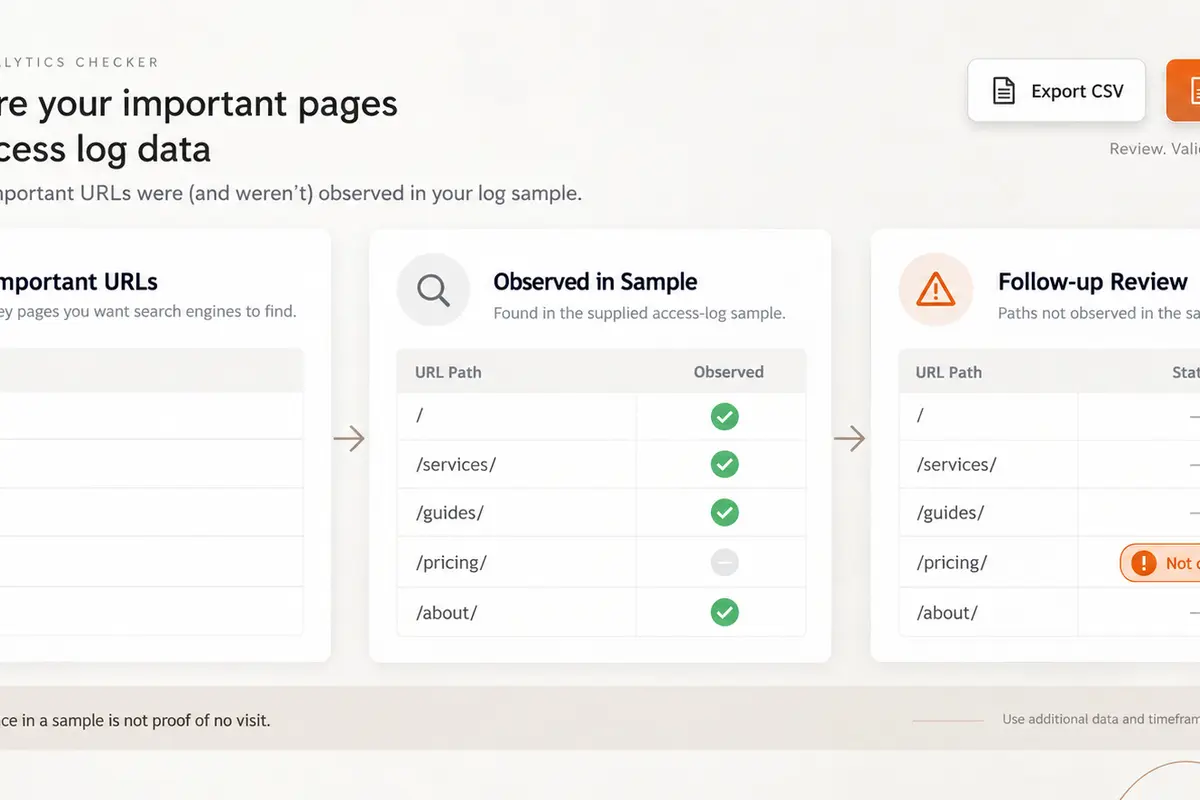
Important Page Inventory

Missing-From-Sample Flags

Exportable Reports
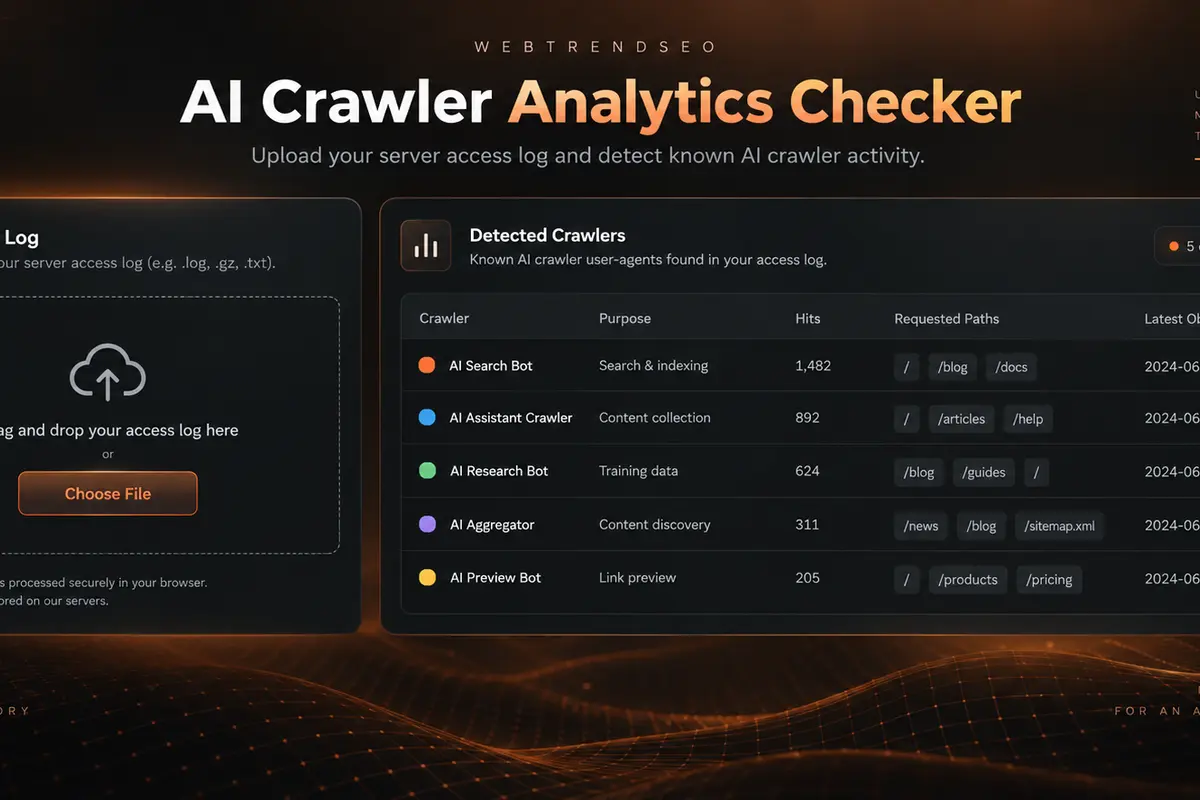
Export a suitable access-log sample from your server or CDN. Keep timestamps, request paths, status codes, and user-agent strings intact, and use an inventory list for pages that matter most.


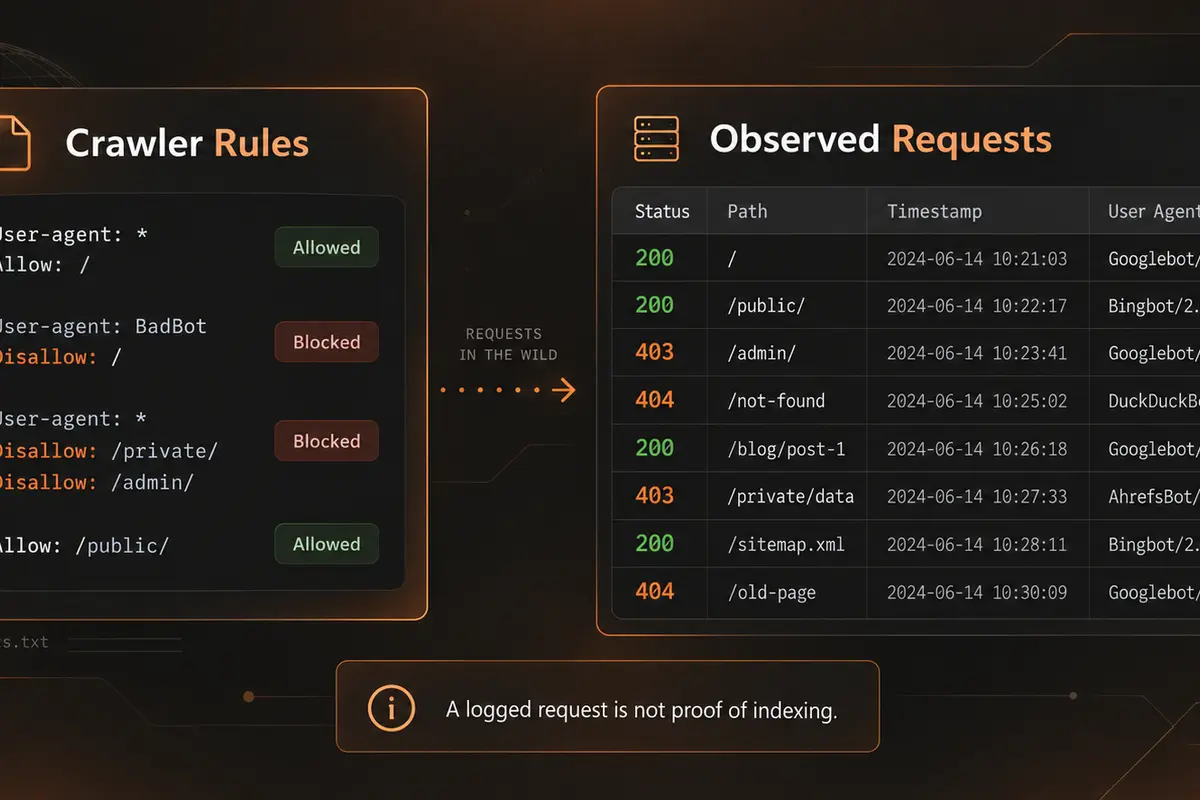
Robots.txt shows what crawlers are allowed or blocked from requesting. Access logs show which user-agent strings actually appeared in the sample you collected. Comparing both avoids treating permission rules as proof of visits.
Use hit counts, unique paths, timestamps, and response evidence to find activity worth investigating. A 403 or other error is still a logged request, but it is not the same as a successful content fetch.
Missing inventory URLs are follow-up candidates, not proven crawl failures. Check log coverage, internal links, sitemap inclusion, crawl access, and server settings as part of a broader technical SEO review.

Analyze logs in your browser

Review response evidence

Compare crawler purposes

Track important page paths

Export findings for follow-up

No paid API required

Paste or upload a representative log sample, add your important URL inventory, and turn crawler evidence into a focused technical review.
For SEO teams, agencies, developers, publishers, and site owners who want to review AI crawler evidence without connecting a hosting account.


The interface states that uploaded files and pasted logs are analyzed in your browser and are not required to be stored on the WebTrendSEO server. No hosting login or AI account credentials are needed.
Server logs can contain IP addresses, URLs, query parameters, and other sensitive details. Remove secrets, session tokens, personal data, or confidential paths before analysis or sharing an exported report.
Learn what the tool detects, how to prepare access logs, and how to interpret crawler matches without overstating what a log sample proves.
It is a browser-based log analyzer that matches recognized AI crawler user-agent strings in the access-log sample you upload or paste. The report summarizes companies, crawler purposes, hit counts, unique requested paths, latest observed timestamps, and important inventory URLs absent from that sample.
You can upload Apache, Nginx, Cloudflare-export text, or another line-based access log, or paste the lines directly. Keep timestamps, request paths, HTTP status codes, and user-agent strings intact. An optional list of important full URLs or paths lets the report identify entries not observed in the supplied sample.
No. User-agent strings can be spoofed, and the tool does not validate IP ownership. A logged request also does not prove a successful content fetch: check the HTTP status code and server context. Detection does not confirm indexing, AI training, citations, recommendations, or search visibility.
It means an important inventory URL did not appear in the specific log sample you supplied. Limited date ranges, log retention, filters, or incomplete exports can exclude earlier requests, so the result is a follow-up signal—not proof that an AI crawler has never visited the page.
No. You supply the log data yourself. The tool does not retrieve live logs, connect to hosting or CDN accounts, edit robots.txt, change server settings, update sitemaps, or modify your website. You decide what to change after reviewing the evidence.
Yes. The checker is free to use without mandatory signup, a paid API, or a subscription. You can copy the report, download a file or CSV, and print or save it as a PDF. Sanitize sensitive log details before sharing any export.
Your log report can highlight crawler access, missed important pages, and server responses worth investigating. WebTrendSEO can help validate those findings through technical SEO, SEO audits, and a focused AI search readiness plan.
Feel free get in touch with us via phone or send us a message
phone: +92 3400 644414
email: contact@webtrendseo.com
We use cookies to operate our website, understand how visitors use it and improve our services. You can accept all cookies, reject non-essential cookies or manage your preferences.