WebTrendSEO Site Architecture Intelligence

Internal Link & Orphan Page Checker

Crawl your link architecture, compare it with sitemap and Search Console inventories, uncover truly orphaned pages, and get prioritized source-page and anchor-text recommendations.

Public HTML only Sitemap + GSC comparison Action-ready link suggestions
Step 1

Configure the crawl

Start from the homepage, discover crawlable HTML links, and compare the result with additional URL inventories.

Step 2

Add URL inventories

True orphan detection needs URLs from outside the crawl. XML sitemaps are automatic; Search Console or a URL-list upload adds stronger evidence.

Automatic

XML sitemap inventory

Compares sitemap URLs with pages reachable from the homepage.

Best evidence

Google Search Console

Finds traffic or indexed pages that may be absent from navigation and sitemaps.

Optional

Upload GSC ZIP, CSV, or URL list

Supports Pages.csv and columns such as Page, URL, Clicks, Impressions, CTR, and Position.

Sitemap inventory will be discovered when the scan starts.
Built for decisions, not just issue counts. The report distinguishes confirmed orphans, weak pages, crawl-only URLs, broken links, redirects, and likely intentional exclusions.
Powered by WebTrendSEOScans public HTML only. Search Console data and access tokens remain in the visitor’s browser.

Use crawl and inventory evidence to review orphan candidates, weak pages, broken links, and redirects.

INTERNAL LINK & ORPHAN PAGE CHECKER

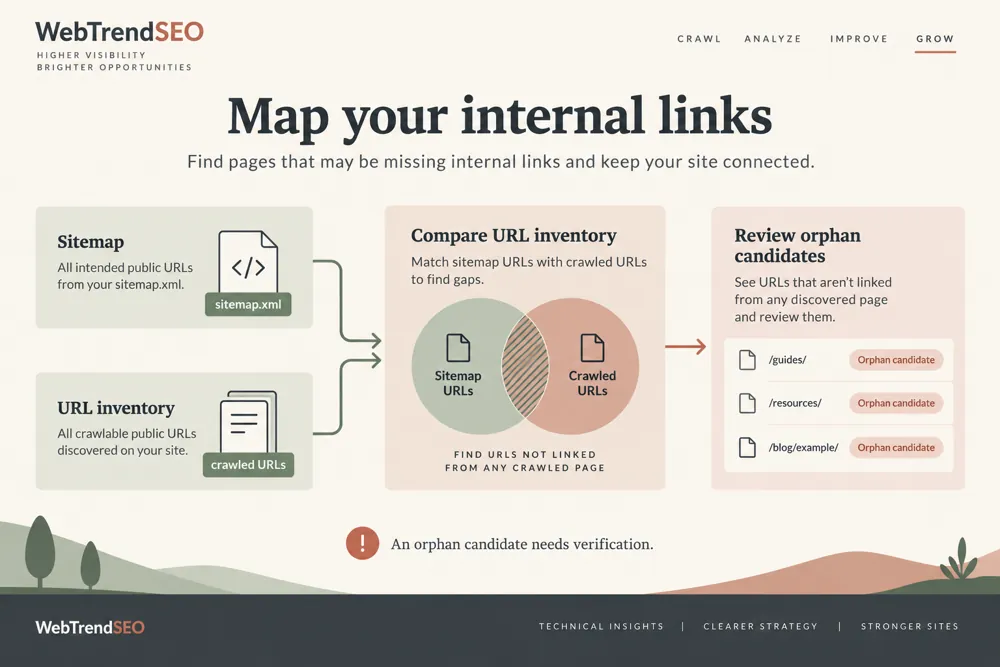
Compare reachable pages with your URL inventories

WebTrendSEO’s Internal Link & Orphan Page Checker reviews pages reachable from your homepage and compares them with additional URL inventories.

Choose a crawl limit and scope, set exclusions, and use automatic sitemap discovery or provide a custom sitemap. Search Console or a CSV, ZIP, or URL-list upload adds URLs that a link crawl may not find.

The report distinguishes orphan candidates, weak pages, crawl-only URLs, broken links, redirects, and possible intentional exclusions. Review crawl coverage and page purpose before acting on source-page or anchor-text suggestions.

Public HTML link crawl

50 to 300-page crawl limits

Host and subdomain scope

Automatic sitemap discovery

Optional custom sitemap

Search Console or URL-list inventory

Robots and exclusion settings

Orphan candidate inspection

Source-page and anchor suggestions
Internal link and orphan page checking workflow and practical review steps
How It Works

How to review internal links and orphan candidates

Start with your preferred homepage and a conservative crawl scope. Add an outside URL inventory so the checker can compare known pages with those found through links.

Enter the preferred homepage URL
Choose a conservative crawl limit and scope
Review robots, exclusions, and parameter settings
Add a sitemap, Search Console, or URL-list inventory
Run the audit and review candidate evidence
Validate source pages and add useful links selectively
WHY USE THIS CHECKER

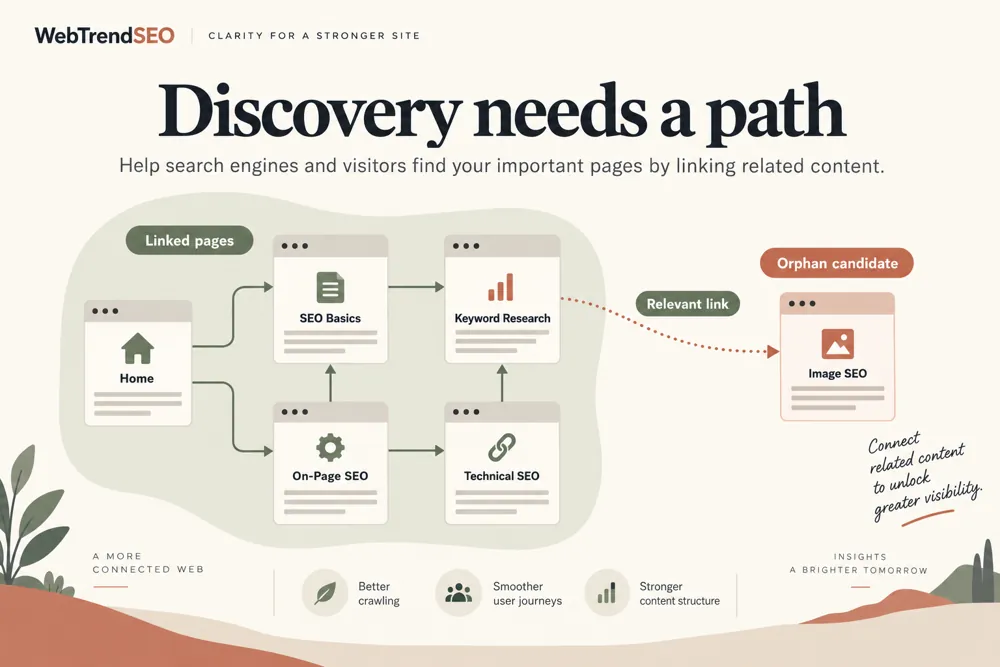
Find pages that need a clearer path from your site

A link crawl cannot discover a page that has no path from the starting point. Comparing it with sitemaps or Search Console helps reveal pages that deserve a closer review.

Check whether each candidate is public, valuable, and intended to be reachable. Crawl limits, blocked URLs, and exclusions can affect the result, so validate the evidence before adding links.

Internal link and orphan page checking signals and findings illustrated

Compare links with known URL inventories

Find pages with weak access paths

Review broken links and redirects

Prioritize candidate investigations

Get source-page and anchor suggestions

Keep crawl coverage and intent in context

NEED HELP PLANNING INTERNAL LINKS?

Turn link findings into a prioritized review

Prioritize useful pages with weak access paths. Review proposed source pages and anchor text, then add links only where they help readers navigate.

Internal link and orphan page checking use cases for website owners and SEO teams
Use Cases

Who Can Use This Tool?

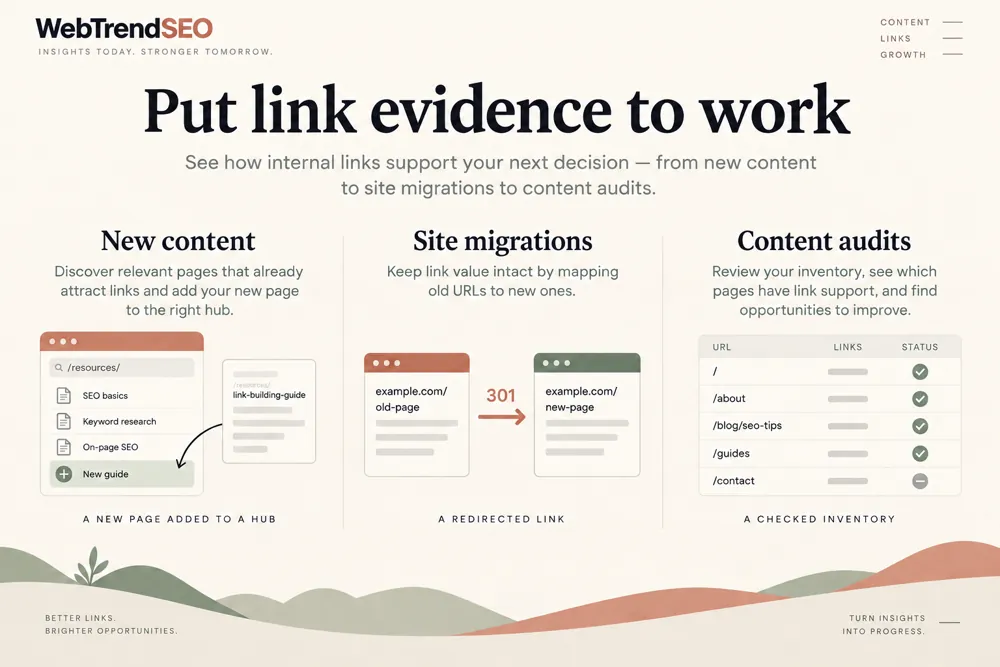
Use the checker for content libraries, service websites, stores, migrations, and template reviews. A sitemap or external URL inventory strengthens the orphan-page investigation.

SEO teams auditing site architecture
Editors finding underlinked content
Store teams reviewing product access
Agencies preparing internal-link plans
Developers reviewing navigation changes
Migration teams checking URL coverage
Site owners investigating orphan candidates
Safe & Secure

Public crawling and Search Console privacy

The scan requests public HTML pages. Search Console data and access tokens remain in the visitor’s browser.

Use a conservative crawl limit and submit only public URLs. The report gives review suggestions and does not add links, change redirects, or edit your website.

Free Tools

Other Free Tools From WebTrendSEO

Keyword Cannibalization Checker

Find pages competing for identical queries using Search Console.

Broken Link Checker

Check a public page for broken link destinations.

Content Pruning Recommendation Tool

Review underperforming pages for content updates or page consolidation.

Programmatic SEO Risk Checker

Review your URL inventories for potential programmatic SEO risks.

Competitor Page Gap Analyzer

Compare public pages to identify gaps in content coverage.

Redirect Checker

Trace redirects and review the final URL destination.

Practical SEO tools from WebTrendSEO

INTERNAL LINK CHECKER FAQ

Internal link and orphan page questions

Understand the inventories, crawl limits, and checks needed before treating a page as orphaned.

A link crawl cannot find pages with no path from the starting point. Sitemaps, Search Console, or a URL-list upload provide known URLs to compare with reachable pages.

The checker discovers XML sitemaps automatically or accepts a custom sitemap. You can connect Search Console or upload GSC ZIP, CSV, or a URL list.

Choose 50, 100, 200, or 300 pages. Candidate inspection can fetch up to 50 pages. Start conservatively and consider coverage when interpreting results.

No. Check whether the page is public, valuable, and intended to be reachable. Crawl limits, robots restrictions, and exclusions can affect the finding.

No. It provides source-page and anchor-text suggestions for review. Add a link only where it is accurate and useful for readers.

Search Console data and access tokens remain in the visitor’s browser. The scan requests public HTML pages and does not change your website.

CHECK HOW YOUR PAGES CONNECT

Review your site’s internal link architecture

Choose a focused crawl and add your known URL inventory. Review the evidence behind each candidate, then plan useful internal links for important pages.