Technical SEO

Indexability Checker

Test HTTP status, robots.txt access, meta robots, X-Robots-Tag, canonical signals, and content type for up to 25 URLs.

Public URLs are fetched securely with strict crawl and rate limits. Reports are not saved to your WordPress database.

Spot technical restrictions before you investigate an indexing problem.

Indexability Checker

Find the signals that can block indexing

A page can load in your browser and still send signals that prevent indexing. WebTrendSEO’s Indexability Checker brings those signals into one report.

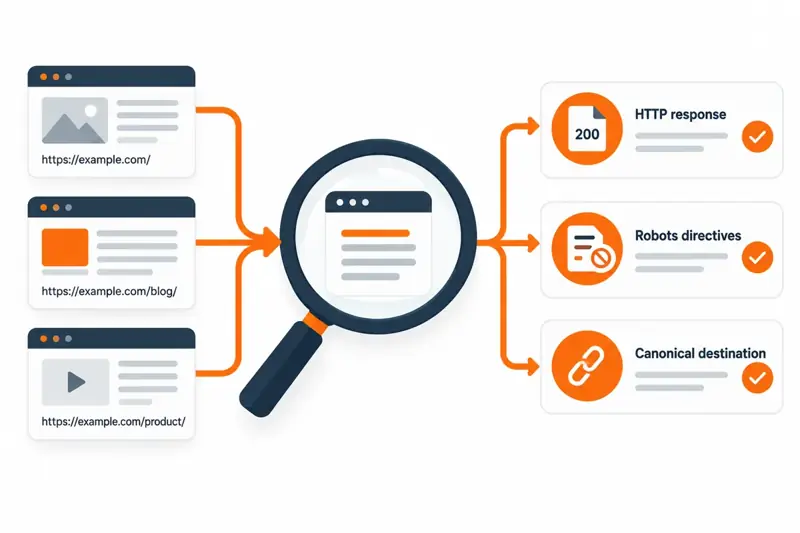
Enter up to 25 public URLs to review their HTTP status, robots.txt access, meta robots directives, X-Robots-Tag headers, canonical signals, and content type. Redirects are followed so you can assess the final destination.

Use the findings to guide a technical review. An eligible result does not confirm that Google has indexed a page; check actual indexing separately in Search Console.

HTTP status codes

robots.txt access

Meta robots directives

X-Robots-Tag headers

Canonical signals

Redirect destinations

Content type checks

Up to 25 URLs

Clear review priorities
Indexability workflow: enter URLs, review indexing signals, and verify changes
HOW IT WORKS

Check your URLs in three practical steps

Start with a short list of pages that should appear in search. Review the report, then confirm each proposed change against the page’s intended purpose.

Paste up to 25 public URLs, one per line
Select Check Indexability
Review HTTP status and final destinations
Check robots.txt and robots directives
Investigate canonical and content type conflicts
Verify changes and confirm indexing in Search Console
WHY USE THIS TOOL

See indexability issues in one report

Indexing problems often involve more than one setting. A redirect may lead to a blocked page, or a page may declare a canonical URL that conflicts with your intended destination.

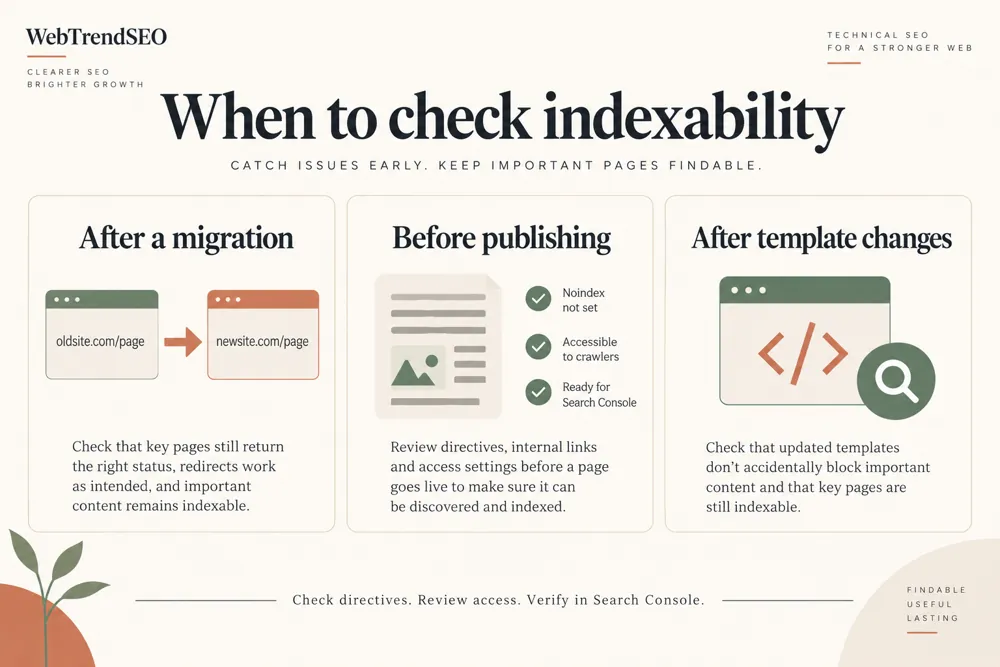
This checker helps you compare those signals before making changes. It is useful after a migration, a template update, or an unexpected drop in indexed pages. Review intentional restrictions carefully: login pages, utility pages, and duplicate URLs may need to remain excluded.

HTTP status, robots directives, and canonical signals compared for indexability

Find conflicting indexing signals

Review several URLs together

Follow redirects to the final page

Check HTTP headers alongside HTML directives

Prioritize technical investigation

Keep intentional exclusions in context

NEED HELP WITH TECHNICAL SEO?

Turn indexing findings into a clear action plan

Found a restriction you cannot explain? Bring the affected URL and its report to a technical SEO review so the fix matches the page’s purpose.

Indexability checks for page launches, migrations, and technical SEO reviews
Use Cases

Who Can Use This Tool?

Use a focused URL list for routine checks, launch reviews, or troubleshooting. The report gives site owners and technical teams a common starting point.

Site owners checking important pages
SEO teams investigating indexing drops
Developers reviewing template changes
Agencies preparing technical audits
Migration teams checking destinations
Content teams checking newly launched pages
Store owners reviewing product URLs
PUBLIC URL CHECKS

Privacy and responsible use

The checker requests public URLs with crawl and rate limits. Do not submit private links or URLs containing sensitive access tokens.

Reports are not saved to the WordPress database. The tool checks technical signals; it does not connect to your Search Console account or change your website.

Free Tools

Other Free Tools From WebTrendSEO

Robots.txt & AI Crawler Checker

Review robots.txt access rules for search and AI crawlers.

Sitemap Health Checker

Review XML sitemaps for errors and duplicate URLs.

SEO Site Scan

Start a broader SEO review with a focused site scan.

HTTP Status Code Checker

Check HTTP response codes and review final URL destinations.

Redirect Checker

Trace redirects and review the final URL destination.

Page Audit Tool

Review SEO signals on an individual public page.

Practical SEO tools from WebTrendSEO

INDEXABILITY CHECKER FAQ

Common questions about indexability

Understand what the report checks, what a restriction means, and how to confirm actual indexing.

It reviews HTTP status, robots.txt access, meta robots, X-Robots-Tag, canonical signals, content type, and the final destination after redirects. You can submit up to 25 public URLs.

No. The report checks technical signals that can affect indexing. Use Google Search Console to confirm whether Google has indexed the URL.

Enter up to 25 public URLs, one per line. Use a small, focused list to compare pages that share an indexing problem.

No. Some pages should stay out of search, including private or low-value utility pages. Confirm the page’s purpose before changing a robots directive.

Yes. A canonical points to a preferred URL. Review unexpected canonical destinations and conflicts before deciding which page should appear in search.

No. It fetches public URLs and reports technical signals. It does not edit robots.txt, remove directives, change canonicals, or request indexing.

CHECK YOUR IMPORTANT PAGES

Start with the URLs that should be indexed

Run a focused check of your important public URLs. Review any restrictions before changing settings, then use Search Console to confirm their indexing status.