Technical SEO

Image SEO Checker

Crawl a page or small website sample for missing alt attributes, dimensions, lazy loading, and image formats.

Public URLs are fetched securely with strict crawl and rate limits. Reports are not saved to your WordPress database.
Crawl the current page or up to 5 or 10 public pages, then review every image occurrence before updating markup or files.

Image SEO Checker

Find Image SEO Issues Across a Page or Small Site

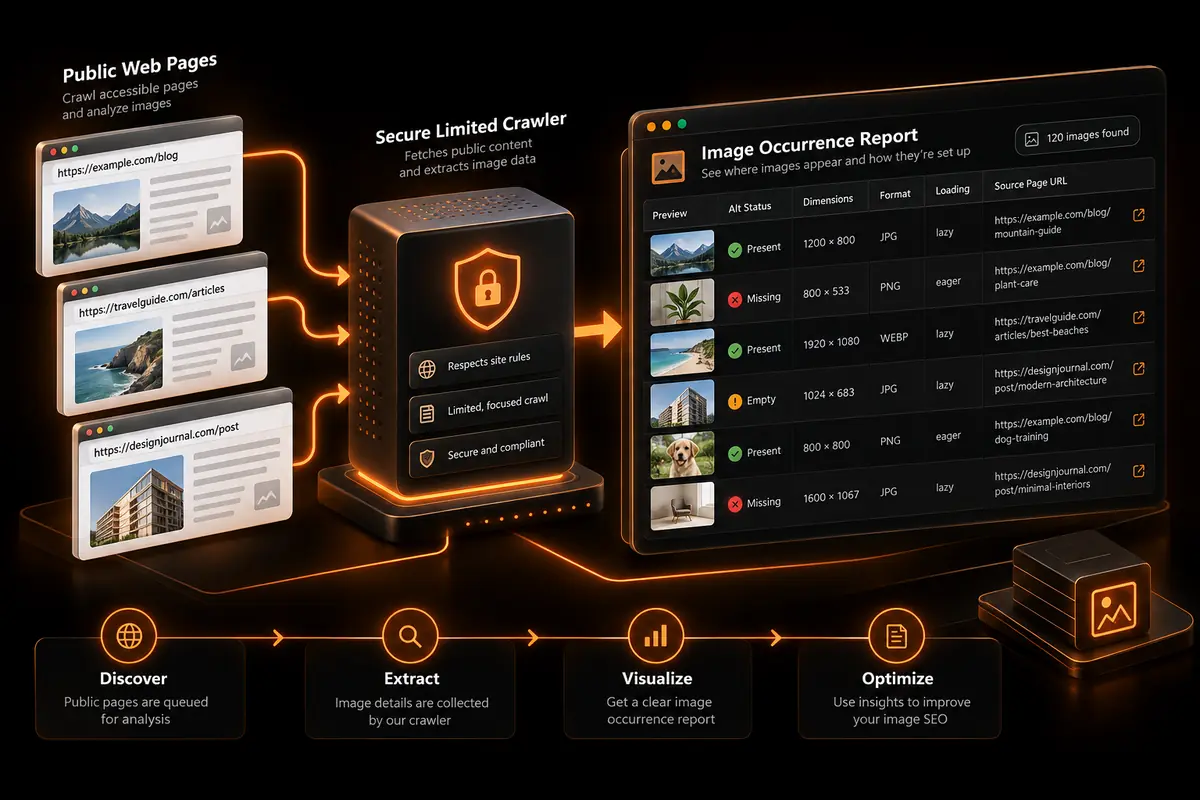
WebTrendSEO’s Image SEO Checker crawls a public URL and reports image markup and delivery signals found on the selected page sample.

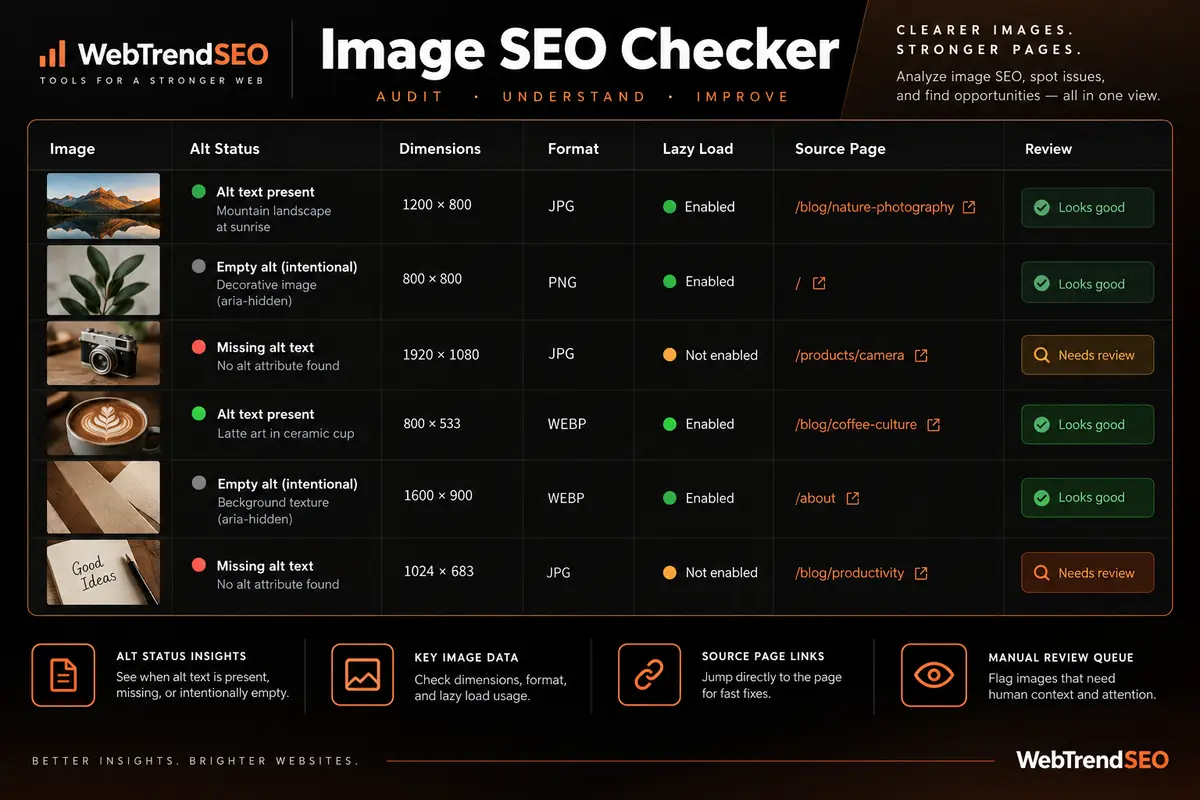
Enter a page or website URL, then choose the current page only, up to 5 pages, or up to 10 pages. The report distinguishes missing alt attributes from empty alt values and checks width and height attributes, WebP or AVIF usage, lazy-loading signals, and the source page for each occurrence.

The checker does not rewrite alt text, compress images, convert files, or edit your website. Empty alt text can be correct for decorative images, so review page context before making changes.

Missing Alt Attributes

Empty Alt Attributes

Width and Height Attributes

WebP and AVIF Usage

Lazy-Loading Signals

Source Page for Each Image

Current Page Audits

Small-Site Sample Crawls

Occurrence-Level Review
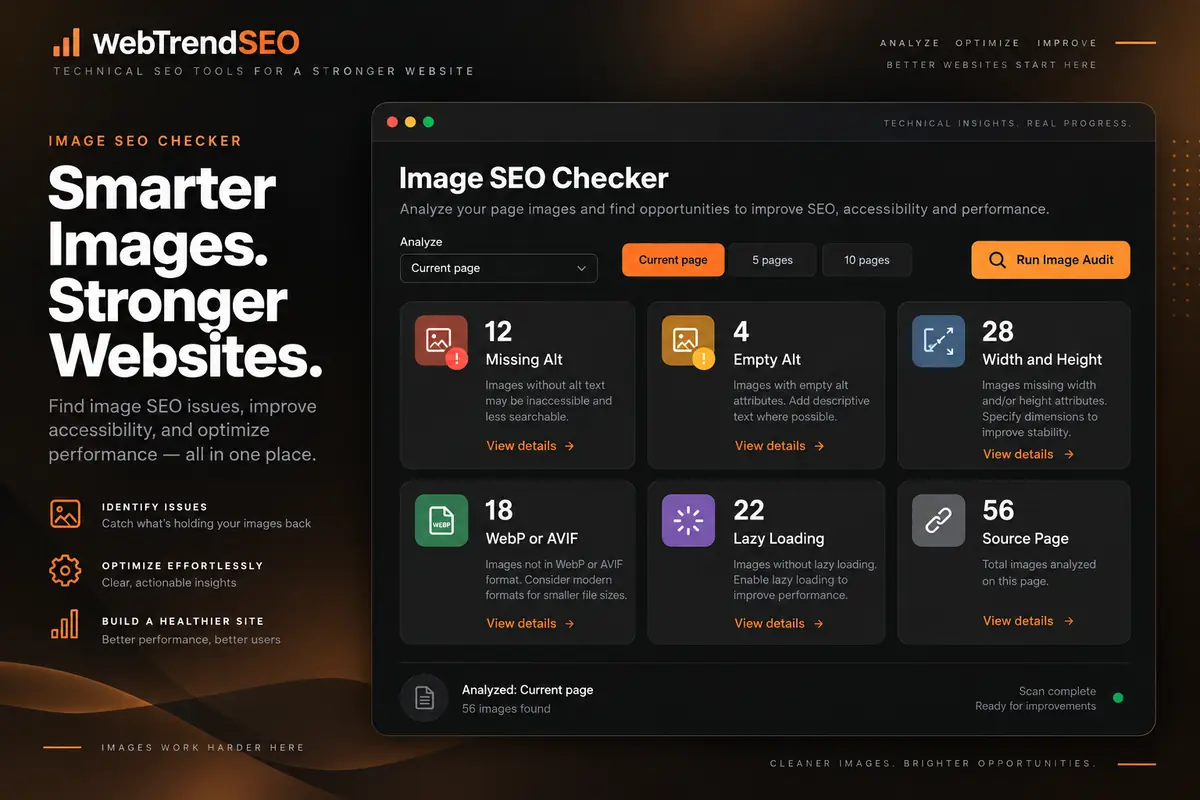
Image SEO audit dashboard showing alt text, dimensions, modern formats, lazy loading, and source-page checks
HOW IT WORKS

How to Use the Image SEO Checker

Choose a limited crawl scope, review each reported occurrence, and confirm the image’s purpose before updating it.
Enter a Public URL

Add the page or website address you want the checker to fetch.

Choose the Crawl Scope

Audit only the current page or sample up to 5 or 10 pages.

Run the Image Audit

Let the secure crawler collect image markup from the selected public pages.

Review Each Occurrence

Check alt status, dimensions, format, lazy loading, and source-page context.

Validate the Image Purpose

Decide whether an empty alt value is intentional and whether each recommendation fits the design.

Update and Retest

Make changes in your CMS or codebase, then run the checker again.

WHY USE OUR IMAGE SEO CHECKER?

Improve Image Markup Without Guesswork

Images can affect accessibility, page stability, loading behavior, and how clearly a page communicates its content. A manual review becomes difficult when the same image or template appears across several pages.

This checker keeps the scope intentionally small and shows the source page for each occurrence. Use that context to separate genuine issues from intentional choices, such as empty alt text on decorative images.

For broader performance, rendering, and crawl support, explore WebTrendSEO’s technical SEO services.
Public pages flowing through a limited crawler into an image occurrence report with source-page details

Conservative Crawl Limits

Source-Page Context

Missing vs Empty Alt Checks

Modern Image Format Signals

Dimension and Loading Checks

No Automatic File Changes

CHECK IMAGES IN CONTEXT

Review Image Issues Before You Edit

Audit a focused page sample, confirm which findings need action, and give your content or development team a clearer image-optimization checklist.
Image SEO matrix comparing alt status, dimensions, format, lazy loading, source page, and manual review needs
USE CASES

Who Can Use This Tool?

Use the checker for focused image reviews before launch, after a redesign, during accessibility work, or while improving page performance.
Website Owners Reviewing Key Pages
SEO Consultants Running Page Audits
Developers Checking Template Markup
Accessibility Teams Reviewing Alt Usage
Ecommerce Teams Auditing Product Images
Publishers Checking Article Media
Agencies Preparing Client Fix Lists
RESPONSIBLE PUBLIC CRAWL

A Limited Audit Designed for Public Pages

The checker fetches public URLs through a secure, rate-limited crawler and limits the audit to one, five, or ten pages. Its interface states that reports are not saved to the WordPress database.

Do not enter private staging URLs, login links, credentials, or pages containing confidential information. Large or authenticated site crawls require a separate auditing process.
FREE TOOLS

Other Free Tools From WebTrendSEO

WebP Converter

Convert and resize your images into compact WebP files.

Lighthouse Report Explainer

Turn your Lighthouse results into clear website performance priorities.

Page Audit Tool

Review SEO signals on an individual public page.

Mobile Simulator

Preview how a public webpage displays on mobile.

SEO Site Scan

Start a broader SEO review with a focused site scan.

Heading Tag Checker

Check H1–H6 heading structure on a public page.

Useful image optimization begins with page context, accessibility, and measurable delivery signals. Built by WebTrendSEO.

FAQS

Image SEO Checker FAQs

Learn what the crawler checks, how to choose a crawl scope, and why every image recommendation still needs page context.
An Image SEO Checker reviews image markup and delivery signals on public pages. WebTrendSEO’s tool reports missing and empty alt attributes, width and height attributes, modern image formats, lazy-loading signals, and the page where each image occurs.
Enter one public page or website URL, choose the current page or a sample of up to 5 or 10 pages, and run the audit. A secure, rate-limited crawler fetches those pages and organizes the image occurrences it finds.
A missing alt attribute means no alt attribute is present. An empty alt value uses alt=”” and can be appropriate for a decorative image that should be ignored by assistive technology. The checker reports the distinction, but you must confirm the image’s purpose.
It checks alt-attribute status, explicit width and height attributes, WebP or AVIF usage, lazy-loading signals, and the source page for each occurrence. It does not assess visual quality, compress files, or write replacement alt text.
The public tool audits only the selected one-, five-, or ten-page sample and can access only crawlable public HTML. It may not see images loaded after complex interactions, behind authentication, or blocked from the crawler. A sample is not a complete sitewide audit.
No. It does not edit HTML, rewrite alt text, resize or compress images, convert file formats, or change lazy-loading settings. Review the findings, update your CMS or codebase, and retest the affected pages.
LET’S TALK

Turn Image Audit Findings Into Technical Improvements

A focused image audit reveals markup and delivery issues worth checking. WebTrendSEO can help validate the findings, improve templates, coordinate accessibility fixes, and address image performance within a broader technical SEO plan.