Content Intelligence

Content Pruning Recommendation Tool

Build a safer keep, improve, consolidate, noindex, or removal-review queue from page-level GSC evidence.

Temporary read-only browser access.

Uploaded files and GSC tokens are not saved in the WordPress database. Validate business value before irreversible SEO changes.

Turn weak performance into a prioritized review list, with evidence before any deletion.

Content Pruning Recommendation Tool

Build a review queue from your search performance

WebTrendSEO’s Content Pruning Recommendation Tool helps you review pages with weak search performance. Connect Search Console temporarily or upload a CSV or ZIP export to build a queue.

Choose a 6, 12, or 16-month lookback and set your click, impression, and position thresholds. Optional filters let you focus on a search type, device, or country. Add a complete URL inventory to identify pages missing from the performance data.

Review the evidence and each page’s purpose before taking action. A page with little search traffic may still support customers, conversions, or essential navigation.

Search Console or CSV input

6, 12, or 16-month lookbacks

Low-click thresholds

Impression thresholds

Position filters

Search type, device, and country

Optional full URL inventory

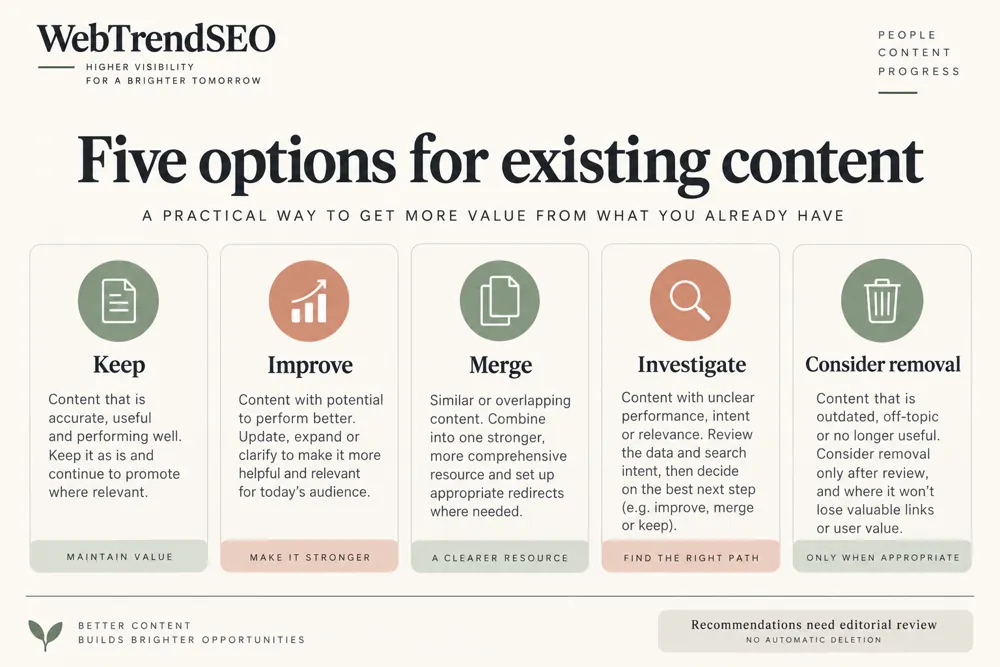
Keep and improve candidates

Evidence before deletion
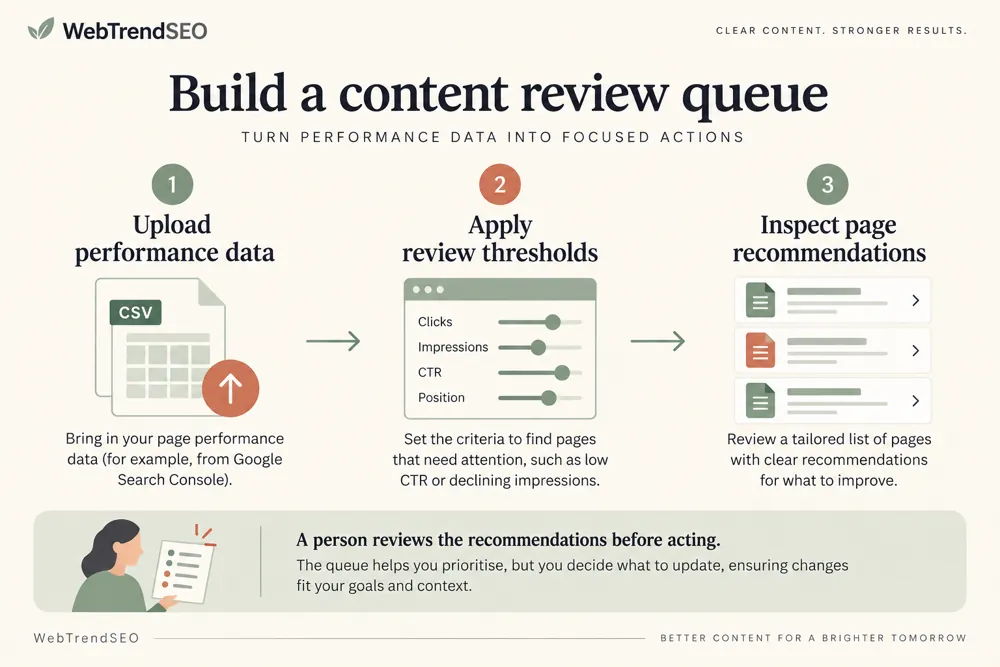
Content pruning review workflow and practical review steps
How It Works

How to build a content pruning queue

Start with a suitable performance period and thresholds for your site. Treat every recommendation as an invitation to investigate the page’s value.

Connect Search Console or upload a CSV or ZIP export
Choose a 6, 12, or 16-month lookback
Set click, impression, and position thresholds
Add filters and a complete URL inventory if needed
Select Build Pruning Queue
Review page value before applying any change
WHY USE THIS TOOL

Make evidence-based content decisions

A long content archive can be difficult to review page by page. Search performance helps you narrow the list, but it should not make the decision for you.

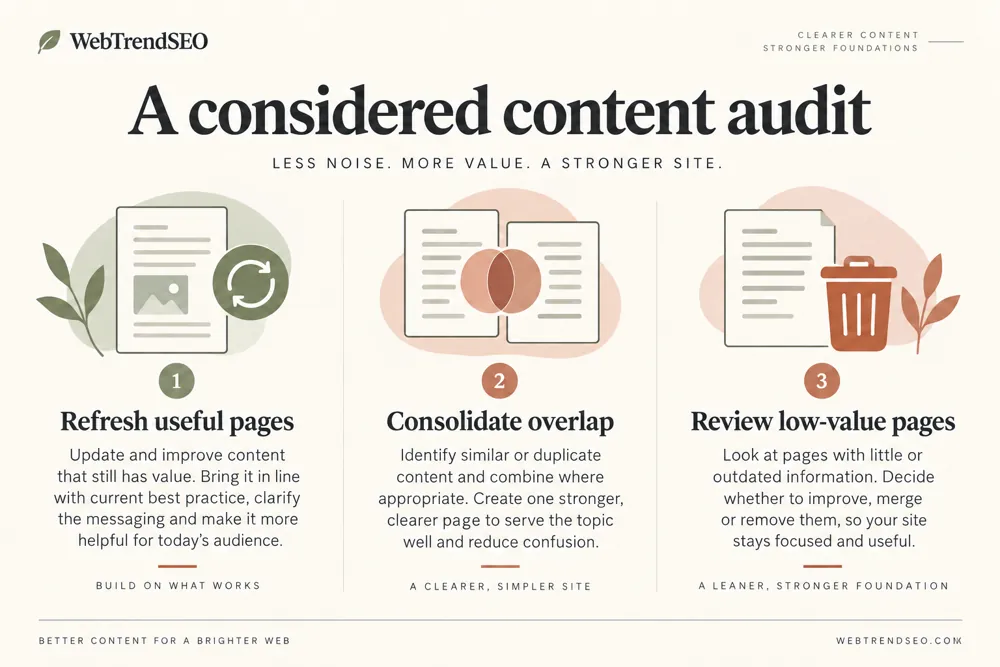
The queue separates improvement opportunities, possible consolidation, utility-page exclusion reviews, and inventory URLs without performance data. Check conversions, backlinks, seasonality, and customer needs before deciding what to change.

Content pruning review signals and findings illustrated

Prioritize a large content review

Use your own search performance evidence

Compare pages against consistent thresholds

Separate improvement from consolidation review

Identify inventory URLs with no data

Keep business value in the final decision

NEED A CONTENT REVIEW?

Review weak pages before making changes

Use the queue to plan a focused content audit. Review the evidence for each page and choose a clear action with an owner and a follow-up date.

Content pruning review use cases for website owners and SEO teams
Use Cases

Who Can Use This Tool?

The tool suits teams reviewing content libraries, old blog posts, or large URL inventories. Set thresholds that fit your site rather than treating defaults as universal rules.

SEO teams auditing a content archive
Site owners reviewing old blog posts
Agencies preparing improvement plans
Editors prioritizing content updates
Large sites comparing URL inventories
Marketing teams reviewing weak pages
Migration teams planning consolidation
Safe & Secure

Your performance data and privacy

Search Console access is temporary and read-only in your browser. Uploaded files and Search Console tokens are not saved to the WordPress database.

The tool creates recommendations. It does not delete pages, set redirects, add noindex directives, or rewrite content.

Free Tools

Other Free Tools From WebTrendSEO

Content Decay Finder

Review page performance trends for signs of content decay.

Keyword Cannibalization Checker

Find pages competing for identical queries using Search Console.

Internal Link & Orphan Page Checker

Compare link and URL inventories to find orphan-page candidates.

Programmatic SEO Risk Checker

Review your URL inventories for potential programmatic SEO risks.

Content Brief Topical Gap Generator

Plan a content brief and review topical gaps.

SEO Traffic Drop Diagnosis

Compare Search Console periods to investigate traffic drops.

Practical SEO tools from WebTrendSEO

CONTENT PRUNING FAQ

Content pruning questions answered

Learn how the review queue uses performance data and why recommendations still need a human decision.

It builds a review queue from Search Console performance or uploaded exports. Recommendations help you identify pages to keep and improve, consider for consolidation, or review for intentional exclusion.

No. It does not delete, redirect, noindex, or rewrite pages. Review each page’s purpose and supporting evidence before making any changes.

Connect Search Console temporarily with read-only access, or upload a CSV or ZIP export. You can also add a complete URL inventory to identify pages without performance data.

You can choose 6, 12, or 16 months. Use a period long enough to reflect seasonality and the page’s history, then review recent changes separately.

No. A page may support customers, conversions, navigation, or another channel. Check those roles, backlinks, and seasonality before considering removal.

No. Uploaded files and Search Console tokens are not saved to the WordPress database. Search Console access is temporary and read-only in your browser.

BUILD YOUR REVIEW QUEUE

Find pages that need a closer review

Choose a performance period, build your queue, and review the pages that need attention. Start with improvements you can measure before considering removal.