Sitewide monthly click trend
Complete months included in the loaded dataset.
Find pages with sustained organic decline, separate true decay from seasonality and lower search demand, estimate lost clicks, and build a data-backed refresh queue.
The direct GSC connection retrieves page-level data for each complete calendar month, which is required for reliable decay detection.
Fetch monthly page metrics with temporary browser authorization. Tokens and performance rows are not saved in WordPress.
Load 12 months of sample data to test scoring, trend diagnosis, directory rollups, filtering, exports and refresh briefs.
Prioritized using click loss, decline depth, sustained trend and diagnostic confidence.
Complete months included in the loaded dataset.
Primary cause across prioritized pages.
Identify declining content and prioritize a refresh using your own search performance.
WebTrendSEO’s GSC Content Decay Finder helps you find pages whose search performance has weakened over time. Connect Search Console temporarily or upload a CSV or ZIP export of monthly performance.
Compare the latest one, two, or three months with a selected baseline: the best month or the best two or three-month average. Set minimum baseline clicks and a decline threshold to focus the review.
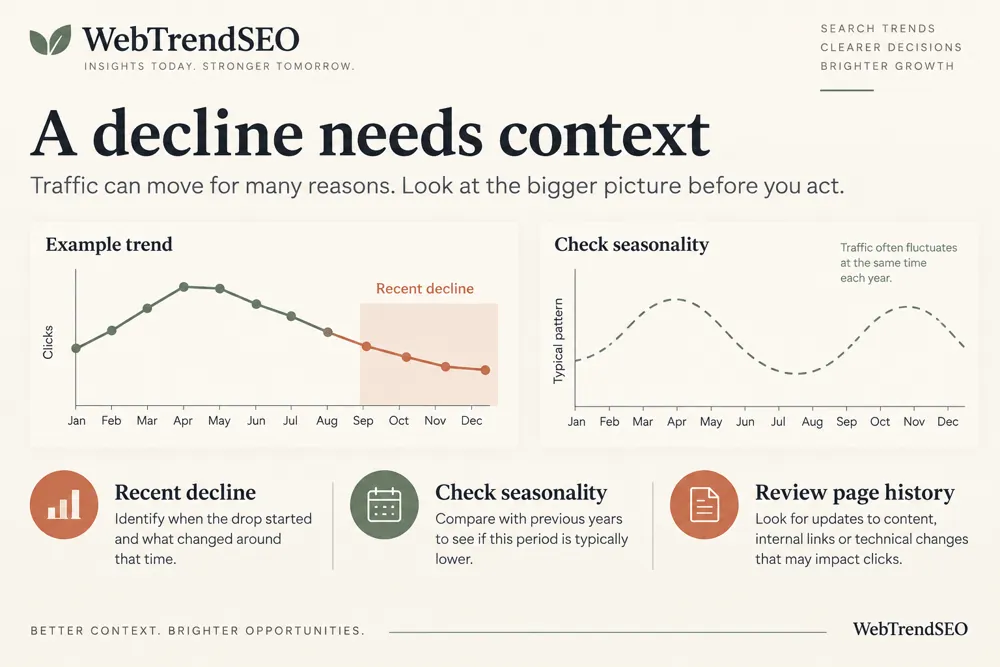
Use the year-over-year seasonality guard, exclusion patterns, and sustained decline signals to reduce noise. The findings identify candidates for investigation; they do not prove that outdated content caused the loss.

Monthly Search Console data

CSV or ZIP uploads

Recent one to three-month averages

Flexible best-period baselines

Minimum baseline clicks

Adjustable decline thresholds

Year-over-year seasonality guard

URL exclusion patterns

Optional public-page audits
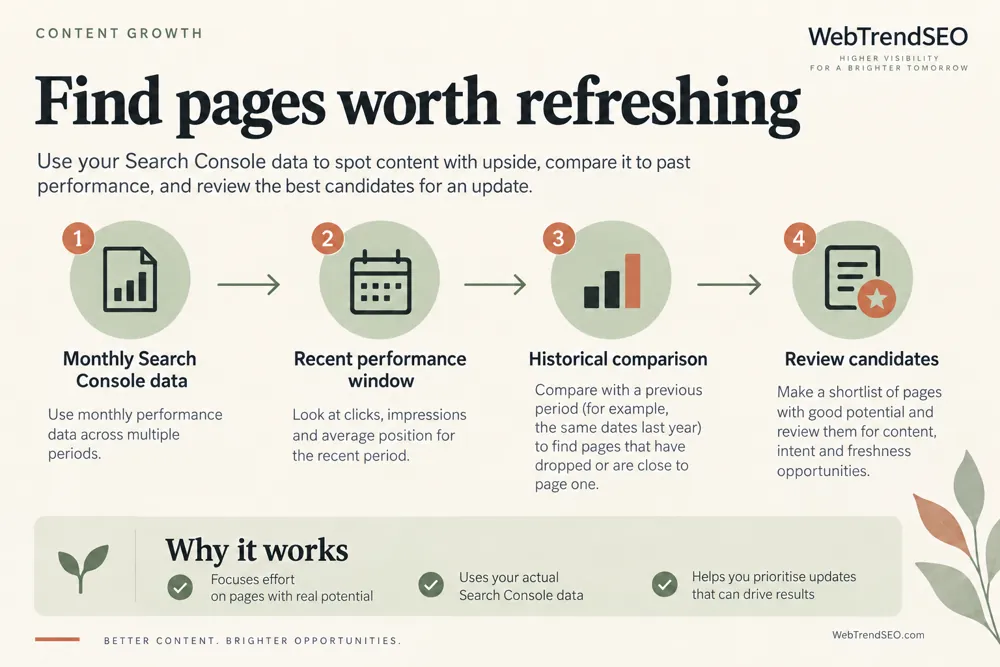
Use enough monthly history to make the comparison meaningful. Check the baseline and seasonal context before deciding which pages deserve an update.


A page can decline gradually without creating an obvious site-wide alarm. Monthly comparisons help you find those losses before choosing where to spend editorial time.
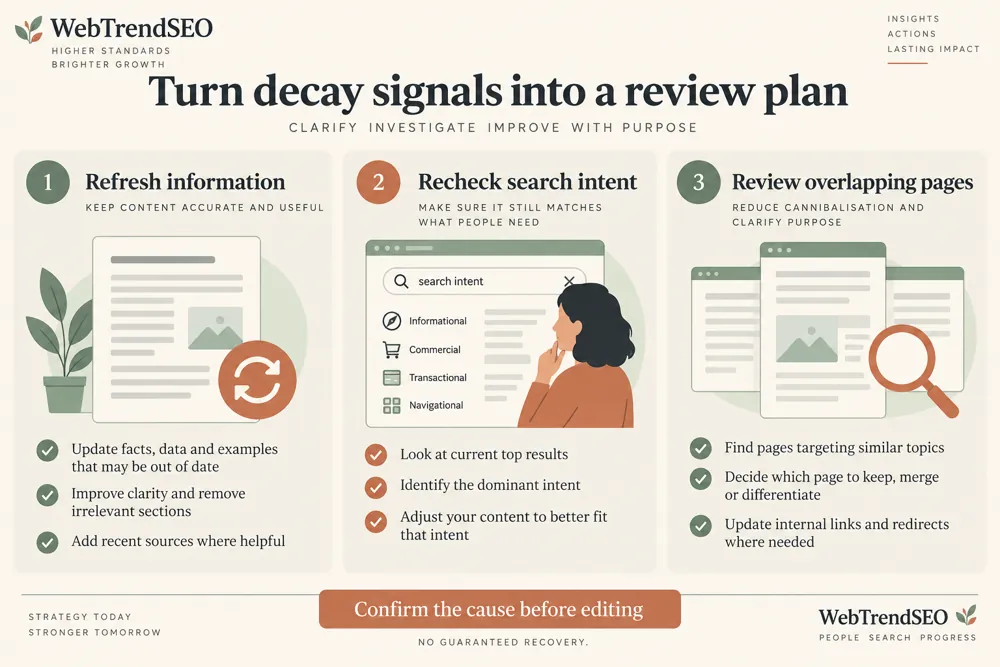
Review the topic, search demand, competitors, technical changes, and page usefulness alongside the report. A refresh should solve a real gap rather than simply change the date or add more words.

Find sustained performance declines

Compare against a stronger past period

Reduce small-sample noise

Keep seasonal changes in context

Prioritize content investigations

Measure updates against a recorded baseline

Turn the strongest decay candidates into a focused update plan. Record the evidence, choose a specific improvement, and compare performance again after the change.
Use the tool for established articles, guides, category pages, and other content with enough monthly performance history. New pages may need more time before a decay comparison is meaningful.


Search Console tokens and performance rows remain in your browser and are not saved to the WordPress database.
If you choose an optional public-page audit, selected URLs are sent to the server to fetch page metadata. Submit only public URLs without sensitive access tokens.
Learn how monthly comparisons work, how to account for seasonality, and what to review before updating a page.
It compares recent average clicks with a stronger historical baseline using monthly Search Console performance. Declining pages become candidates for a closer content and SEO review.
You can use the best month or the average of the best two or three months. The recent comparison can use one, two, or three months. Review the period before interpreting a decline.
Yes. Upload a CSV or ZIP export with monthly performance data, or use the temporary read-only Search Console connection.
The year-over-year guard adds seasonal context where suitable history is available. It helps you review recurring patterns, but you should still check demand and other changes.
No. Demand, competition, technical changes, and search-result changes can also affect clicks. Review those factors before choosing a content update.
Yes. Selected public URLs are sent to the server to fetch page metadata. Search Console tokens and performance rows remain in your browser and are not saved to WordPress.
Compare your monthly performance and find the strongest decline candidates. Review the page’s purpose and search context before planning a focused refresh.
Feel free get in touch with us via phone or send us a message
phone: +92 3400 644414
email: contact@webtrendseo.com
We use cookies to operate our website, understand how visitors use it and improve our services. You can accept all cookies, reject non-essential cookies or manage your preferences.